[–] 3 points 11 hours ago

Are you watching them with each other at a feeder? ‘Cause I’ve been witnessing a full on war between Rufous, Calliope, Broad Tailed, and Black Chinned hummingbirds around here. Doesn’t seem to vary too much between species—they’ve all been spoiling for a fight. You can even hear their beaks collide in mid air!

  • source
  • parent
  • context
  • [–] 117 points 12 hours ago (8 children)

    For those who don’t live around hummingbirds, they are aggressive little shits who all hate each other and engage in sky battles over feeders, even if they have an abundance of food. They’re like Conor McGregor got hit with a shrink ray and he thought controlling the supply of sugar water was the only way to start getting the respect he deserves again.

  • source
  • [–] 4 points 2 days ago* (3 children)

    I use it and I really like it. It has significantly improved razor burn for me, and is quite affordable. Unlike others in this thread, I’ve been satisfied with the blades.

    I change the blade every single use because they are so cheap, and the experience is very smooth.

  • source
  •  

    cross-posted from: https://lemm.ee/post/54393323

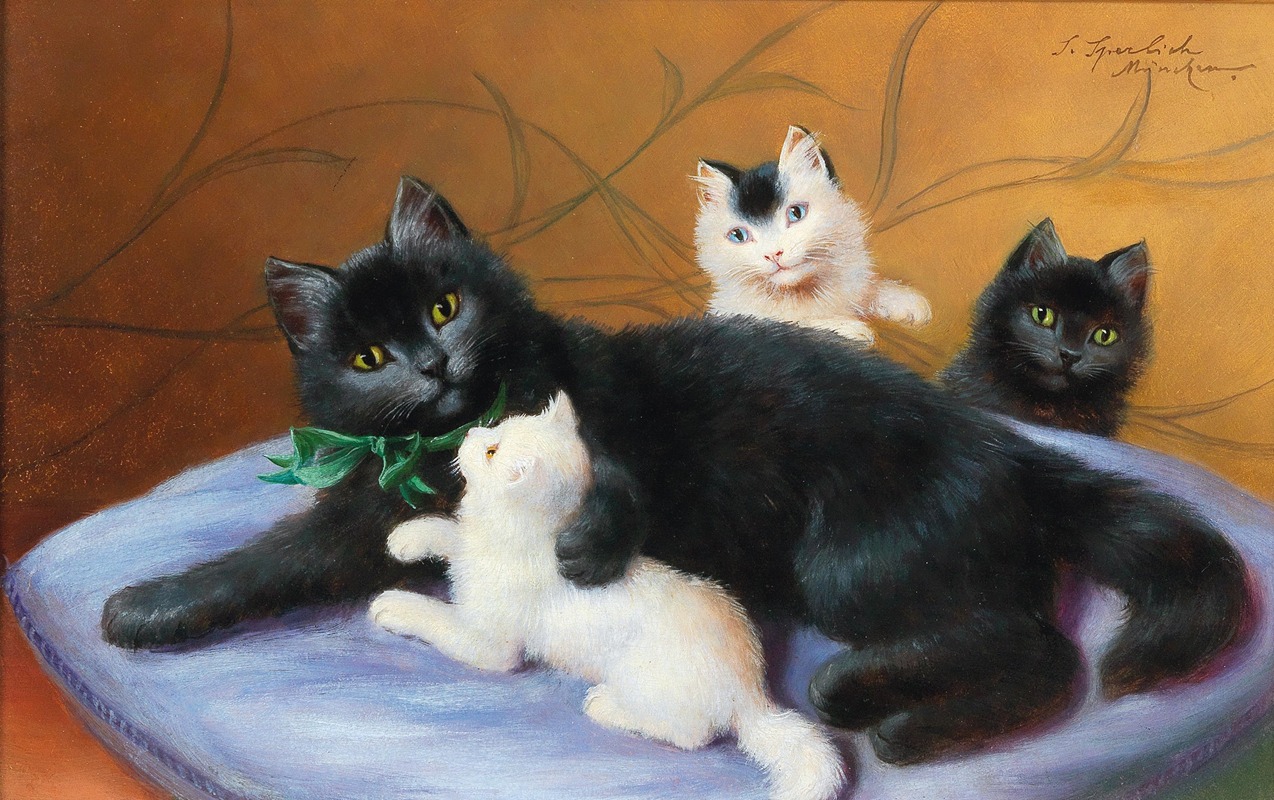
    (German, 1863-1906)

    Sophie Sperlich was a well-known artist in Munich, her home town. Although not much information is available about her, she was a popular artist painting both dogs and cats. Her paintings are in the same style as those of Julius Adam and Henriette Ronner-Knip. Many of her works were used as postcard illustrations.

    More cats: https://artvee.com/artist/sophie-sperlich/


    I am having issues passing through my new GPU to my Windows 11 VM. I previously had another AMD GPU hooked up to this same VM without issue. The new 9070 GPU will display the Proxmox terminal just fine, so I'm relatively sure there is no defect with the device.

    CPU: AMD Ryzen 9 5900X
    GPU: AMD RX 9070 XT
    MB: NZXT N7 B550
    PWR: 850 Watt

    IOMMU: Enabled
    Above 4G Decoding: Enabled
    Re-Size Bar Support: Enabled

    When I try to start the VM, I get this error:

    error writing '1' to '/sys/bus/pci/devices/0000:08:00.0/reset': Inappropriate ioctl for device
    failed to reset PCI device '0000:08:00.0', but trying to continue as not all devices need a reset
    swtpm_setup: Not overwriting existing state file.
    kvm: vfio: Unable to power on device, stuck in D3
    kvm: vfio: Unable to power on device, stuck in D3
    TASK OK

    Device:

    08:00.0 VGA compatible controller [0300]: Advanced Micro Devices, Inc. [AMD/ATI] Navi 48 [RX 9070/9070 XT] [1002:7550] (rev c0) (prog-if 00 [VGA controller])
    Subsystem: XFX Limited Device [1eae:8811]

    /etc/default/grub:

    GRUB_DEFAULT=0
    GRUB_TIMEOUT=5
    GRUB_DISTRIBUTOR='lsb_release -i -s 2> /dev/null || echo Debian'
    GRUB_CMDLINE_LINUX_DEFAULT="quiet amd_iommu=on iommu=pt rd.driver.pre=vfio-pci kvm.ignore_msrs=1 vfio-pci.ids=1002:7550,1eae:8811 disable_vga=1 disable_idle_d3=1"
    GRUB_CMDLINE_LINUX=""

    /etc/modules:

    vfio
    vfio_iommu_type1
    vfio_pci
    vfio_virqfd

    /etc/modprobe.d/vfio.conf:

    options vfio-pci ids=0000:08:00.0,0000:08:00.1
    options kvm ignore_msrs=1
    options vfio-pci ids=1002:7550,1eae:8811 disable_vga=1 disable_idle_d3=1
    softdep radeon pre: vfio vfio_pci

    VM.conf: I downloaded and added the ROM to the VM configuration file.

    hostpci0: 0000:08:00,pcie=1,x-vga=1,romfile=9070xt.rom

    At this point I feel totally lost in the weeds, and would greatly appreciate any help that could point me in the right direction to fix this. Thanks!

    UPDATE: the error message changed somewhere between updating the BIOS and removing the rom entry from the vm.conf.

    error writing '1' to '/sys/bus/pci/devices/0000:08:00.0/reset': Inappropriate ioctl for device failed to reset PCI device '0000:08:00.0', but trying to continue as not all devices need a reset swtpm_setup: Not overwriting existing state file.
    kvm: ../hw/pci/pci.c:1654: pci_irq_handler: Assertion `0 <= irq_num && irq_num < PCI_NUM_PINS' failed. stopping swtpm instance (pid 10043) due to QEMU startup error TASK ERROR: start failed: QEMU exited with code 1


    I’m trying to set up a streaming server on a VPS. I’m using OBS Studio and MistServer in a Debian docker container with noVNC access to control it.

    MistServer is supposed to be able to detect a stream on the local network and then create a custom RTMP key so that it can be passed to OBS studio and then streamed to multiple platforms simultaneously.

    I was thinking that I could use Tailscale to create a virtual network, and that should connect the camera to MistServer. If I do that, could I just use the Tailscale IP as the RTMP IP address and then have it treat the camera as if it is on a local network?

    Essentially:

    Camera wired to iPad > Tailscale > MistServer > OBS Studio > Multiple Streaming Platforms

    Is there some better way to do this that I’m totally missing?

    Thanks for any help you can provide.

    Edit: to clarify, I’m talking about a livestream of my own live content that I create, not a Plex stream of media or anything.


    cross-posted from: https://lemm.ee/post/40347903

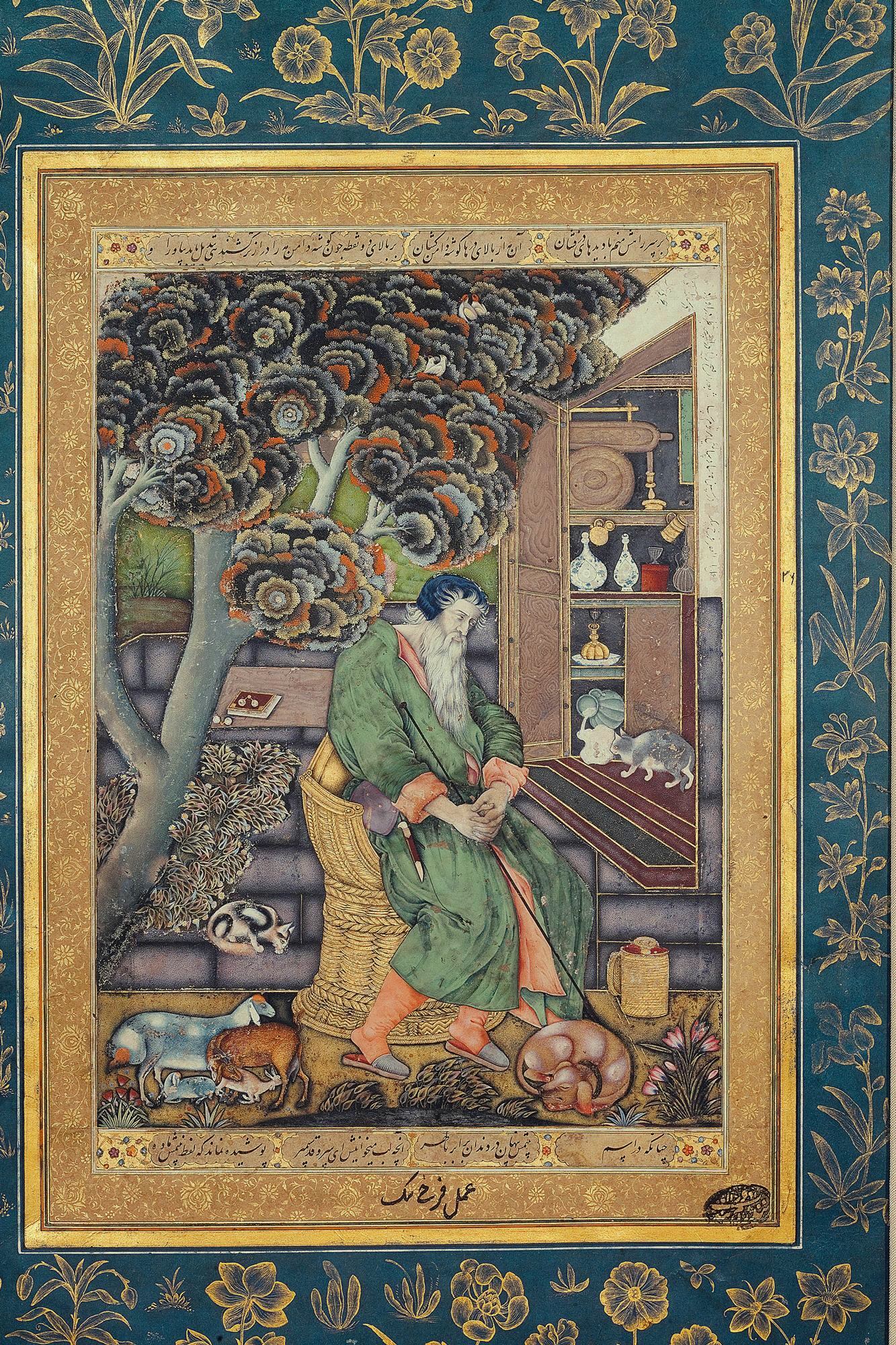
    Saint Jerome as the Representation of Melancholy - Farrukh Beg (1615)

    Farrukh Beg (Persian: فرخ بیگ; c. 1547 – after 1615), also known as Farrukh Husayn, was a Persian miniature painter, who spent a bulk of his career in Safavid Iran and Mughal India, praised by Mughal Emperor Jahangir as "unrivaled in the age."

    https://en.wikipedia.org/wiki/Farrukh_Beg

    view more: next ›