1590
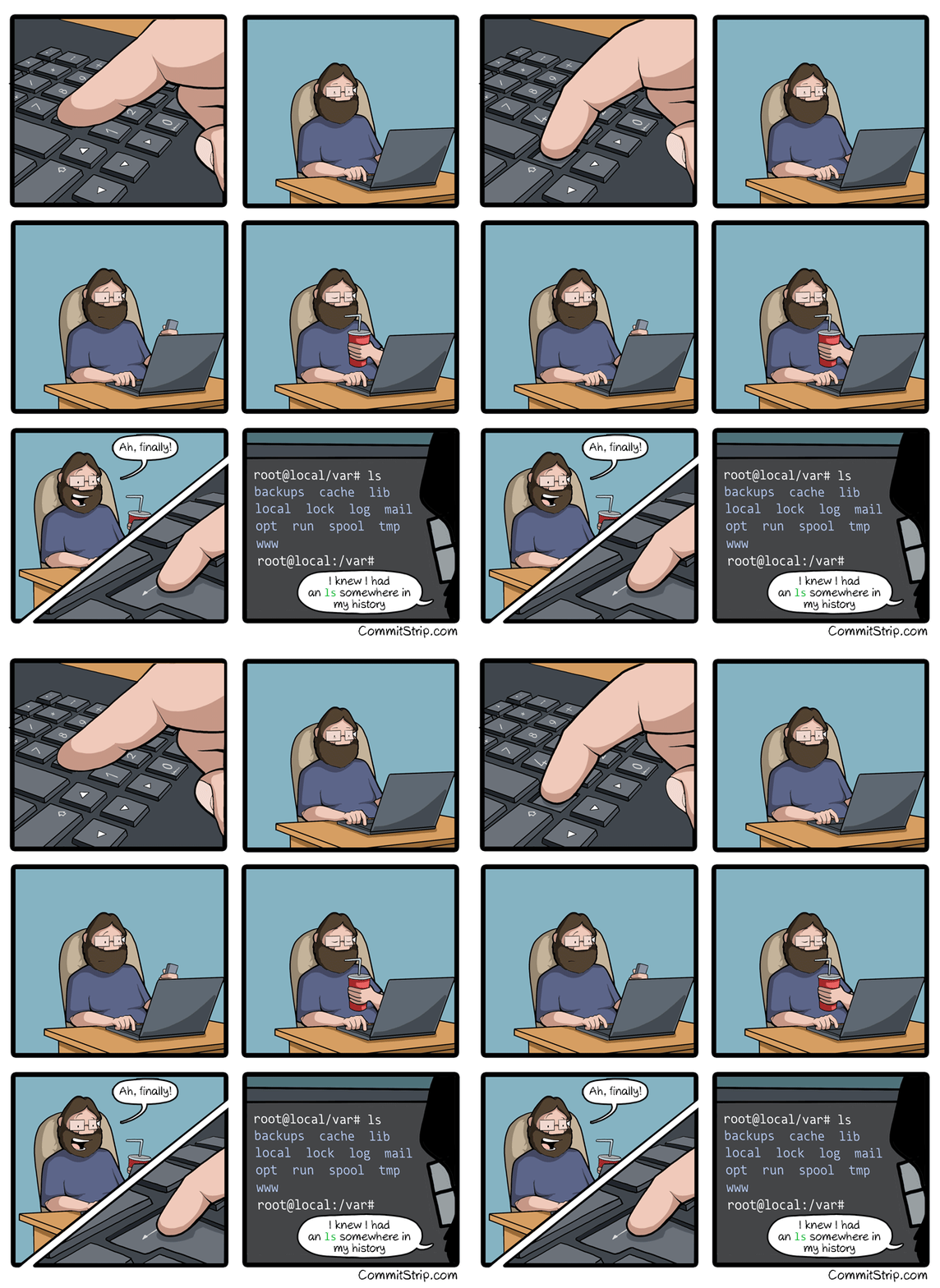
siempre lo hago (eviltoast.org)
top 50 comments
sorted by: hot top new old
[-] beerclue@lemmy.world 198 points 5 months ago
[-] serpineslair@lemmy.world 57 points 5 months ago

What the fuck!? How am I only learning this now, after years of linux as daily driver?!

[-] ch00f@lemmy.world 42 points 5 months ago

Shit is usually a pain in the ass. The challenge is divining how much of a pain in the ass something has to be that someone else might have made a solution for it.

I didn't know you could ctrl+shift+c to copy in the terminal until a month ago when my linux n00b wife said "there has to be a better way to do this. I've been right clicking to copy for 10 years.

[-] Neverclear@lemmy.dbzer0.com 26 points 5 months ago

most DE's have a thing where you can paste highlighted text using the middle mouse button

[-] TheEighthDoctor@lemmy.zip 8 points 5 months ago

It's also independent from the Clipboard so you can do it while keeping your clipboard

load more comments (5 replies)
[-] Atherel@lemmy.dbzer0.com 22 points 5 months ago

And ctrl + shift + v to paste, just in case

load more comments (1 replies)
load more comments (8 replies)
[-] grrgyle@slrpnk.net 11 points 5 months ago

Congratulations! I remember where I was when I first learned it (in a noisy server room at the back of a machine shop).

Now pair it with FZF for fuzzy finding -- it's surprisingly easy to set up, just following any guide. It's insanely useful. I find myself even doing things like typing:

$ xinput --disable $(xinput --list | grep -i touchpad | grep 'id=[0-9]\+' -o | cut -d= -f2)  # Disable synaptic touchpad trackpad pointer

commands with these like comments on the ends as sort of "tags" so I can ctrl+r search for them later. Yes, I know I could just use a named function, but this is like the step just before that--before I know if I'll be issuing the same command all the time, or just for the next couple weeks. (This one was from when I was resting my notebook on my laptop.)

load more comments (1 replies)
[-] lmmarsano@lemmynsfw.com 8 points 5 months ago* (last edited 5 months ago)

As usual, that's documented (we can RTFM).

Before trying ctrl-s, you may want to disable software flow control: run stty -ixon & add it to your initialization files. Otherwise, you'll pause terminal output. ctrl-q resumes terminal output.

stty reveals terminal special characters

$ stty -a
⁝
intr = ^C; quit = ^\; erase = ^?; kill = ^U; eof = ^D; eol = <undef>; eol2 = <undef>; swtch = <undef>; start = ^Q; stop = ^S; susp = ^Z; rprnt = ^R; werase = ^W; lnext = ^V; discard = ^O; …
⁝

These special characters/keys often perform special functions. To illustrate

  • ctrl-d on empty input typically exits/logs out of interactive terminal applications (including shells)
  • ctrl-u discards input (useful for inputs like password prompts that don't echo input back)
  • ctrl-v inputs next character literally (such as tab)
load more comments (5 replies)
[-] Cenzorrll@lemmy.world 12 points 5 months ago* (last edited 5 months ago)

I'm not going to say how long I used linux before learning this. It isn't "this many days old", but it may as well be.

I have 7 headless linux boxes running.

load more comments (2 replies)
[-] Ricaz@lemmy.dbzer0.com 11 points 5 months ago

This but with FZF and ag

[-] lepinkainen@lemmy.world 10 points 5 months ago

https://atuin.sh/ Does all that and a lot more, like showing if the command succeeded and which directory it was run in

load more comments (12 replies)
[-] bisby@lemmy.world 97 points 5 months ago
load more comments (5 replies)
[-] bdonvr 72 points 5 months ago* (last edited 5 months ago)

I used to be like this but people seriously. CTRL+R

Do it. Don't make this one of those things you've heard about and just never got around to trying. Open your terminal right now and CTRL+R and type any part of the command you did before. If the command you want is not showing first just hit CTRL+R again to go to the next one back.

DO IT.

Edit: I did learn from this thread today though that ZSH has it set to where you can just type part of what you're looking for then hit up to do the same thing. Neat!

[-] AkatsukiLevi@lemmy.world 19 points 5 months ago

WHAT THE FUCJ IS THIS SORCERY BRO I'VE BEEN USING LINUX FOR AGES AND NEVER KNEW THIS BROOOOOOOOOO

[-] Danitos@reddthat.com 19 points 5 months ago* (last edited 5 months ago)

You can empower Ctrl+r event more by using fzf. After I started using it, I can't imagine going back to without it.

[-] harsh3466@lemmy.ml 19 points 5 months ago* (last edited 5 months ago)

Holy shit. I just tried it. ctrl+r is a revelation! How the fuck did I not know about this?

[-] lepinkainen@lemmy.world 13 points 5 months ago

If you want to level up ctrl-r, upgrade to Atuin: https://atuin.sh/

[-] The_Decryptor@aussie.zone 8 points 5 months ago

Edit: I did learn from this thread today though that ZSH has it set to where you can just type part of what you’re looking for then hit up to do the same thing. Neat!

Fish too, it's fantastic.

load more comments (2 replies)
[-] Evotech@lemmy.world 67 points 5 months ago
load more comments (4 replies)
[-] KiwiTB@lemmy.world 43 points 5 months ago

What, and type 'ls' again?

[-] PhAzE@lemmy.ca 28 points 5 months ago* (last edited 5 months ago)

Ctrl + R and start typing the command, it'll come up, press enter. Im just more lazy because I know there are still faster ways.

Edit: instead of hitting enter, keep pressing ctrl + R to cycle through history commands that contain what you typed in

load more comments (2 replies)
[-] IcedRaktajino@startrek.website 23 points 5 months ago* (last edited 5 months ago)

Pretty much, yeah.

Rather than jot down in a text file the various ffmpeg commands I use frequently...

Raktajino@laptop:~/Downloads$ history | grep ffmpeg
   12  sudo apt install audacity gimp ffmpeg mplayer
  184  history | grep ffmpeg
  215  ffmpeg -i source.mkv -ss 629 -t 7 out.mkv
  217  ffmpeg -i out.mkv -s 0.5 -vf scale=1280:720 out.mp4
  218  ffmpeg -i out.mkv -ss 0.5 -vf scale=1280:720 out.mp4
  231  ffmpeg -i out.mp4 -vf "subtitles=out.srt" final.mp4
  503  ffmpeg -i toofat.wav toofat.mp3
  ...
  682  history | grep ffmpeg
  684  ffmpeg -i 1.gif -i 2.gif -filter_complex "[1:0] [2:0] concat=n=2" out.gif
  685  ffmpeg -i 1.gif -i 2.gif -filter_complex "[1:0] [2:0] concat=n=2:v=1" out.gif
  686  ffmpeg -i 1.gif -i 2.gif -filter_complex "[1:0] [2:0] concat=n=2:v=1" -map '[v]' out.gif
  687  history | grep ffmpeg
  688  ffmpeg -i 1.gif -i 2.gif -filter_complex "[0:0] 12:0] concat=n=2:v=1" -map '[v]' out.gif
  689  ffmpeg -i 1.gif -i 2.gif -filter_complex "[0:0] 1:0] concat=n=2:v=1" -map '[v]' out.gif
  690  ffmpeg -i 1.gif -i 2.gif -filter_complex "[0:0] [1:0] concat=n=2:v=1" -map '[v]' out.gif
  691  ffmpeg -i 1.gif -i 2.gif -filter_complex "[0:0] [1:0] concat=n=2"  out.gif
  694  history | grep ffmpeg
[-] Ediacarium@feddit.org 11 points 5 months ago* (last edited 5 months ago)

I like how 'history | grep ffmpeg' shows up twice

load more comments (2 replies)
load more comments (7 replies)
[-] BigDanishGuy@sh.itjust.works 21 points 5 months ago

More like ⬆️⬆️⬆️⬆️⬆️⬆️ mother fucker ⬇️

load more comments (1 replies)
[-] muzzle@lemmy.zip 19 points 5 months ago
load more comments (1 replies)
[-] Semi_Hemi_Demigod@lemmy.world 17 points 5 months ago

history | grep ‘part of the command I remember’

[-] palordrolap@fedia.io 8 points 5 months ago

Also: Ctrl+r then type the part of the command you remember.

[-] FuyuhikoDate@feddit.org 8 points 5 months ago

Ha... That as if I would ever remember the part of the tool instead of the fact what it did 🤣

load more comments (1 replies)
[-] theacharnian@lemmy.ca 13 points 5 months ago
[-] bdonvr 21 points 5 months ago

CTRL+R [the thing]

please i beg you

load more comments (5 replies)
load more comments (9 replies)
[-] djvinniev77@lemmy.ca 13 points 5 months ago
load more comments (6 replies)
[-] iAvicenna@lemmy.world 13 points 5 months ago

history | grep then !cmd_number

[-] interdimensionalmeme@lemmy.ml 13 points 5 months ago

history | grep thethingyou'relookingfor

load more comments (2 replies)
[-] JATtho@lemmy.world 12 points 5 months ago

zsh-history-substring-search

I lazily type part of the thing I want like "sys" and then ctrl+⬆️/⬇️ and sudo systemctl start libvirtd etc. appear like magic.

[-] rumba@lemmy.zip 11 points 5 months ago

!ssh

run the last command that started with ssh

load more comments (2 replies)
[-] rumba@lemmy.zip 11 points 5 months ago

You're in vim, you forgot to sudo, the file is read only and you have loads of changed you don't feel like saving off to /tmp and playing the copy file shell game.

[esc]:w !sudo tee %

it shoves the current buffer through tee (termina adapter) with sudo privs vim will warn you that the file changed, just [esc]:q! and don't let it save, you already saved it.

load more comments (2 replies)
[-] highball@lemmy.world 11 points 5 months ago
load more comments (2 replies)
[-] resipsaloquitur@lemmy.world 10 points 5 months ago
[-] FauxLiving@lemmy.world 9 points 5 months ago

https://junegunn.github.io/fzf/shell-integration/

fzf is a nice tool for this and other things

[-] ___f____g___@lemmy.ca 9 points 5 months ago* (last edited 5 months ago)

I see everyone posting about Ctrl+R, here's a couple more useful CLI shortcuts you might enjoy:

cd - (change directory to $OLDPWD usually the previous directory)

git checkout - (similarly checkout the previous branch)

Ctrl+A (return caret to beginning of command, great when you forgot a positional argument and you were almost done typing the command)

Ctrl+E (similar to Ctrl+A but move to the end of the command)

load more comments (4 replies)
[-] onebonestone@lemmy.world 8 points 5 months ago

Or just use fish shell. Rarely need ctrl+r anymore.

load more comments (3 replies)
[-] Dave@lemmy.nz 8 points 5 months ago

Everyone sharing their Ctrl+R tips, here's my Control+R question:

How does scope work? Some command history only seems to exist in certain tabs.

Also sometimes I Ctrl+R in a tab then the command is there but I forget I need a different one first, so I ctrl+c but the next time I search for that original command somehow it doesn't exist anymore.

I'm using the default terminal on Nobara (fedora based).

[-] Trail@lemmy.world 12 points 5 months ago

As far as I remember, there is a bash setting that controls whether the command history is written immediately after execution (in which case it is immediately available on all tabs/windows of the console) or after closing the session (in which case it will be available next time/potentially lost if the window is forcibly closed etc).

The default is the second one as far as I remember.

That said, I had changed to a more powerful one in zsh years ago, so it's been a while...

load more comments (1 replies)
[-] PotatoesFall@discuss.tchncs.de 9 points 5 months ago* (last edited 5 months ago)

This actually doesn't depend on your terminal but on the shell running inside it. Bash is the default on most distros. I have also frequently had this issue. There might be config to fix it.

I switched to fish instead of bash, and now I use fzf and the https://github.com/PatrickF1/fzf.fish plugin and it works GREAT. There might be a similar thing for bash, I don't know.

load more comments (1 replies)
load more comments
view more: next ›
this post was submitted on 25 Aug 2025
1590 points (98.7% liked)

linuxmemes

29821 readers
1614 users here now

Hint: :q!


Sister communities:


Community rules (click to expand)

1. Follow the site-wide rules

2. Be civil
  • Understand the difference between a joke and an insult.
  • Do not harrass or attack users for any reason. This includes using blanket terms, like "every user of thing".
  • Don't get baited into back-and-forth insults. We are not animals.
  • Leave remarks of "peasantry" to the PCMR community. If you dislike an OS/service/application, attack the thing you dislike, not the individuals who use it. Some people may not have a choice.
  • Bigotry will not be tolerated.
  • 3. Post Linux-related content
  • Including Unix and BSD.
  • Non-Linux content is acceptable as long as it makes a reference to Linux. For example, the poorly made mockery of sudo in Windows.
  • No porn, no politics, no trolling or ragebaiting.
  • Don't come looking for advice, this is not the right community.
  • 4. No recent reposts
  • Everybody uses Arch btw, can't quit Vim, <loves/tolerates/hates> systemd, and wants to interject for a moment. You can stop now.
  • 5. 🇬🇧 Language/язык/Sprache
  • This is primarily an English-speaking community. 🇬🇧🇦🇺🇺🇸
  • Comments written in other languages are allowed.
  • The substance of a post should be comprehensible for people who only speak English.
  • Titles and post bodies written in other languages will be allowed, but only as long as the above rule is observed.
  • 6. (NEW!) Regarding public figuresWe all have our opinions, and certain public figures can be divisive. Keep in mind that this is a community for memes and light-hearted fun, not for airing grievances or leveling accusations.
  • Keep discussions polite and free of disparagement.
  • We are never in possession of all of the facts. Defamatory comments will not be tolerated.
  • Discussions that get too heated will be locked and offending comments removed.
  •  

    Please report posts and comments that break these rules!


    Important: never execute code or follow advice that you don't understand or can't verify, especially here. The word of the day is credibility. This is a meme community -- even the most helpful comments might just be shitposts that can damage your system. Be aware, be smart, don't remove France.

    founded 2 years ago
    MODERATORS