why?

top 50 comments

sorted by: hot top controversial new old
[–] 299 points 2 years ago (4 children)
  • load more comments (2 replies)
    [–] 175 points 2 years ago (59 children)

    they're probably patching a security flaw, because we live in the future now and it is perfectly normal for a simple clock to have backdoors that can read your bank accounts

  • source
  • hideshow 59 child comments
  • [–] 108 points 2 years ago (26 children)

    "My dishwasher is on the internet!" - "Why is on the internet?" - "To download software updates!" - "Why does it need software updates?" - "To fix security vulnerabilities!" - "Why would it have security vulnerabilities?" -"Because it's on the internet!"

  • source
  • parent
  • hideshow 26 child comments
  • load more comments (22 replies)
  • [–] 18 points 2 years ago (28 children)

    The companies BUILD IN backdoors so that they can steal your data.

    But because the backdoor is built in, they have to constantly monitor and update the security around it so that "bad guys" (they don't think they are the bad guys) don't get in.

    They only do security updates to prevent liability iirc.

    The whole thing stinks.

    Note: I'm not a software developer just an outraged bystander with tech hobbies and techy friends, it's possible this isn't true.

  • source
  • parent
  • hideshow 28 child comments
  • load more comments (28 replies)
  • load more comments (2 replies)
    [–] 106 points 2 years ago (12 children)

    They are just getting you ready for Time 2.

    Its faster and greener, with advertisements tailored to your interests!

  • source
  • hideshow 12 child comments
  • [–] 58 points 2 years ago* (last edited 2 years ago) (4 children)

    Trying to get Windows 11 to show seconds.

    Click the clock on the taskbar, which has worked as far as I remember, maybe even before Windows 95. Notifications and calendar pop up but no seconds.

    Search “seconds” in settings. Apparently you can only have them shown on the taskbar permanently (with implied distraction and CPU usage).

    Look in time settings. No seconds, either.

    Open the Clock app. The update takes a minute. No seconds there, either.

    Search the internet. Apparently this is a function Microsoft disabled in Windows 11 but can be restored with Explorer Patcher, along with the option to set taskbar transparency via Classic Shell (so that you can watch the status in another window while others are maximized).

    Don't have time for that, install Linux instead

    (I’m not even kodding. The only place where a vanilla Windows 11 installation will show seconds in GUI is a very obscure page deep in the unintuitive jungle of settings. Interesting that a $3 watch does something a Windows computer with a million times more transistors doesn't.)

  • source
  • parent
  • hideshow 4 child comments
  • load more comments (4 replies)
  • [–] 27 points 2 years ago (2 children)

    Welcome to Clock 2.0, the new time and reminder experience from Microsoft! Powered by Bing AI and Microsoft OneDrive.

    • Sync your time zones, alarms, and reminders to all your devices via Microsoft OneDrive
    • Get suggested wake-up times powered by Bing AI and your calendar!
    • Use of Clock is governed by the Microsoft Cloud Connected Experiences Privacy Policy (click here to view).
    • Click I Agree to start your use of Microsoft Clock!

    and for all this, your alarm reminders become yet another datapoint for personalized ads, your phone alarm to wake you up then plays at full blast through the living room computer and wakes everybody else up, and you agreed to a 750kb privacy policy that displays in a 2"x3" window with 500 pages to scroll through.

  • source
  • parent
  • hideshow 2 child comments
  • load more comments (2 replies)
  • load more comments (4 replies)
    [–] 93 points 2 years ago (3 children)

    That update is going to take some time.

  • source
  • hideshow 3 child comments
  • [+] 75 points 2 years ago* (134 children)
  • [–] 20 points 2 years ago (8 children)

    Plus Linux could update it in the background while the app is running. There's no reason windows can't do these things, and yet, it can't.

  • source
  • parent
  • hideshow 8 child comments
  • [–] 22 points 2 years ago* (last edited 2 years ago) (7 children)

    It can't, really. What Linux will do (and Windows won't) is delete old files and replace them with new ones while they are still in use. But this has two problems.

    1. It can lead to stability issues. See e.g. Firefox, which refuses to open new tabs and can't shut down cleanly if you update using the package manager while the browser is running. If you replace a binary executable in use and it later tries to load a shared library dynamically, it will get an unexpected version of that shared library which can potentially lead to memory corruption. Similar problem if the program tries fork+exec itself to create more instances (like Firefox and Chrome do).
    2. It won't actually update the running process in memory, so even if you install security fixes your system will still be vulnerable. To be safe after e.g. fixes to libc you really need to reboot your system, but most distributions hide this fact from the user.

    Windows could certainly opt for a similar solution as Linux. They just chose a stricter and more reliable model for file locking, for good or bad. For what it's worth I personally prefer the Linux model, but that's because I know to reboot my system after updating it. I don't trust my dad to take that social responsibility so he needs to be forced.

  • source
  • parent
  • hideshow 7 child comments
  • load more comments (7 replies)
  • load more comments (122 replies)
    [–] 72 points 2 years ago (4 children)

    We have altered the Clock app. Pray we do not alter it further.

  • source
  • hideshow 4 child comments
  • load more comments (1 reply)
    [–] 64 points 2 years ago (21 children)

    Incoming the switch to Linux tribe...

  • source
  • hideshow 21 child comments
  • load more comments (16 replies)
    [–] 57 points 2 years ago (5 children)

    Any app that chooses to update or ask you a bunch of questions when you just want to use it CAN GET FUCKED. Open a loyalty app: would you like to rate our app? No. Would you like to see nearby deals? NO. Notifications for nearby deals would be useful.. NOOO! Earn double points tomorrow... MOther F*)(&^*&(%!!1

  • source
  • hideshow 5 child comments
  • load more comments (5 replies)
    [–] 42 points 2 years ago (1 child)
    load more comments (1 reply)
    [–] 36 points 2 years ago (9 children)

    I would like to move into a paradigm of no software updates for things software updates are not appropriate for.

  • source
  • hideshow 9 child comments
  • load more comments (5 replies)
    [–] 35 points 2 years ago (3 children)

    Duh, obviously you need to create a windows account to use the clock app 🙄

  • source
  • hideshow 3 child comments
  • load more comments (3 replies)
    [–] 35 points 2 years ago* (15 children)

    little things like this that would have only gotten updates for one version of windows to another, for ui changes or sumsuch, now get updates frequently, and since they're 'store' updates now, you have even less control over them. it's rather annoying.

  • source
  • hideshow 15 child comments
  • [–] 29 points 2 years ago (1 child)

    little things like this that would have only gotten updates for one version of windows to another, for ui changes or sumsuch, now get updates frequently, and since they’re ‘store’ updates now, you have even less control over them. it’s rather annoying.

    This is actually not a Windows but a general modern development issue. Things need to change. Change! CHAAAAANGE! Value! Effort! Work! Endlessly! GROWTH!

    Look at how many apps update every 1-3 days. It's crazy.

  • source
  • parent
  • hideshow 1 child comment
  • load more comments (1 reply)
  • load more comments (13 replies)
    [–] 33 points 2 years ago

    For some reason windows will update their own app from their own app store, and then immediately apply another update when you open the app.

    Their whole system is so hacked together.

  • source
  • [–] 32 points 2 years ago

    Just yesterday it requested me to verify my account (with a full UAC dialog) before opening the clock app. I guess it was trying to sync (?) the custom alarms/timers (??) between my devices (???) but... WTF, Microsoft.

  • source
  • [–] 32 points 2 years ago (5 children)
  • load more comments (3 replies)
    [–] 30 points 2 years ago* (9 children)

    I get updating the clock app, what I don't get is why update it like this and why would it take so long that the user felt the need to complain? Also we are getting the update ready for you? So they're stopping the user use the clock app while they download and prepare the update? Has updating the app even started yet?

  • source
  • hideshow 9 child comments
  • load more comments (3 replies)
    [–] 29 points 2 years ago (6 children)
    load more comments (6 replies)
    [–] 24 points 2 years ago

    Microsoft is so successful that they turned windows into a meme.

  • source
  • [–] 22 points 2 years ago

    Ah yes I need to update my lock so I can get the latest ads and spyware.

  • source
  • [–] 22 points 2 years ago

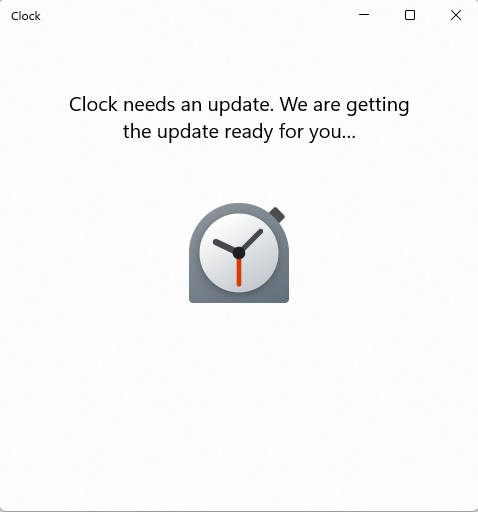
    Image Transcription: Windows Software Dialog Box


    Clock

    Clock needs an update. We are getting the update ready for you...

    A stopwatch icon is shown.

  • source
  • [–] 19 points 2 years ago (8 children)

    And once again the community proves that it needs renamed to c/MicrosoftSucks because that's the only type of content you'll find here.

  • source
  • hideshow 8 child comments
  • [–] 22 points 2 years ago (2 children)

    I just opened the latest messages in there :

    • broken university form
    • some broken captcha
    • a split kitchen sink
    • windows 10 bugging people about accounts
    • this post
    • a pyramid scheme about books idk
    • something about devices with bad batteries
    • road stuff
    • restaurant bill
    • paypal
    • linux stuff
    • adobe
    • youtube
    • youtube
    • a karen in central park
    • microsoft teams
    • instagram
    • cars
    • shrinkflation at IKEA
    • mobile roaming prices

    That's… two posts about Microsoft. Clearly the only type of content you'll find here.

  • source
  • parent
  • hideshow 2 child comments
  • load more comments (2 replies)
  • load more comments (1 reply)
    [–] 18 points 2 years ago

    Just had a similar issue with Samsung watch. Go to time food and the entire ui changed that I need to figure out but my food is on the grill already

  • source
  • [–] 17 points 2 years ago (1 child)

    The most annoying thing with these updates is the way they don't give you any kind of indication of what's happening on your system during an update.

    Have had cases where an application was 'updating' and looking in task manager/networking tab I can see no network traffic and no disk usage, seemingly hung up for 15 minutes or longer.

  • source
  • hideshow 1 child comment
  • load more comments (1 reply)
    [–] 16 points 2 years ago

    Windows

    there's your problem

  • source
  • load more comments
    view more: next ›