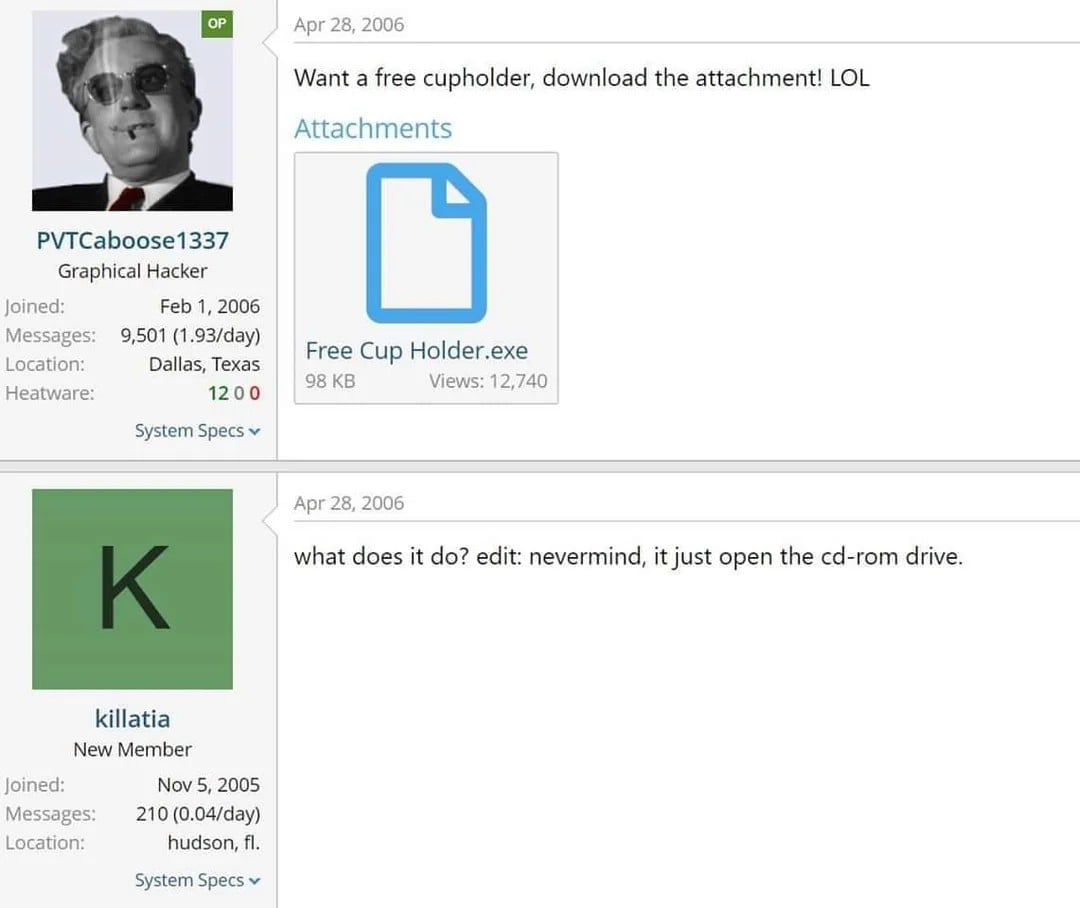
Very helpful command it was for those, whose modem had to be rebooted daily back in the day: Have a cron-job open the tray, which in turn was placed strategically so that it would hit the reset button of the modem, then close the tray. And voilà; automatic reboot of the modem. Robotics at its finest!
post
replies:
This command was very useful for quickly finding a server in a row of hundreds of identical servers. No need to read the labels or look up which rack it's in. Just log in remotely, just use 'eject', and then walk down the row to the server that has its tray out.
replies:
load more comments
(2 replies)
Ah, the good old days of sshing into a family member's computer and trolling them by constantly opening and closing the drive.
replies:
You mean the cup holder?
replies:
You can configure sudo, used to elevate the privileges of a command, to insult users when they type in an incorrect password.
To do so, edit the sudoers file with a tool called visudo, which edits and validates modifications to the sudo configuration file.
sudo visudo
Near the top, add a line that reads:
Defaults insults
Save and close the file.
replies:
Back in networking classes we used to have entire rooms of replicated machines, all with contiguous addresses and same logins. We wrote a script to ssh into every computer of the room and eject and retract all the disk drives at the same time, it was wonderful ✨
replies:
Disk... drive?
what-year-is-it.jpeg
replies:
tilts head
plugs in USB optical drive
eject
pop
hehe
push tray back in
eject
pop
hehehe
Almost 20 years ago I convinced my high school library to let me install Debian on one of the computer groups. I found the "eject" command, and wrote a script that just invoked it with an argument to close the tray. I named that script "inject". Being high schoolers, my friends and I made scripts to "eject" and "inject", along with various beeps, and named the scripts suggestive and tawdry things. We all had a good giggle setting the systems off on their little routines and walking away.
replies:
If you have a LS-120, it will eject the floppy disc like you were on dome fancy-pants Macintosh!
replies:
load more comments
(1 reply)
They should make a usb-port with a spring in it which can be released with eject. Until then I have to be content with just making sound effects when I run eject on other devices.
I need to go put my DVD drive back in my tower to try this!
There is a whole world of obsolete stuff nobody will ever do with a linux system anymore. Terminal servers with lots of serial terminals or modems for a BBS. Making a fax server, IVR, digital answering machine for analog land lines. Using removable optical or magnetic media. Recording broadcast tv. SCSI, Firewire. It is interesting to imagine what from today will be obsolete in a few years.
load more comments
(1 reply)
Those are discs not disks kiddo
replies:
I used to play with Linux at college back in 2002 and install the distros on the front of magazines. Eject opens the cd drive but did you know it hangs unless you umount the mount point first? Back in those days everything had to be painfully mounted and unmounted.
load more comments
(1 reply)
[deleted]
[deleted]
I still have a disk drive but eject doesn't seem to affect it since for some reason I don't have a /dev/cdrom. I just checked with the physical eject button on the drive and it is at least still physically working—the tray ejects! I don't have any optical media to test if the drive still works to read CDs though
replies:
Sorry, my what ? Are you talking about relics of the past ? ;D
lemme guess.. and inject would close it again?
replies:
don't use it if you're flying a plane, though!
view more:
next ›
top 50 comments