I just use konsole , which is the default terminal emulator for KDE. I don't need anything fancy, just something basic to run commands, updates, a few scripts, etc.
post
replies:
load more comments
(1 reply)
cool-retro-term 😎 to live in retro cyberpunk dreamland
replies:
[deleted]
replies:
load more comments
(1 reply)
I use foot together with foot-server. The client opens in less than a millisecond, and I usually have tens of terminal windows open at the same time. Tabbing comes from the window manager.
load more comments
(1 reply)
I ike konsole
load more comments
(1 reply)
When I'm using a tiling window manager, I use kitty, because I like its speed and support for font ligatures. When I'm using a Desktop Environment like Gnome or KDE I usually don't use the terminal at all, but if I need it, I use the default emulator.
load more comments
(17 replies)
Gnome terminal. I don't really care the terminal emulator. What's in the terminal is what's important. The terminal window just needs to be able to resize correctly though.
load more comments
(1 reply)
Personally I've been using gnome-terminal for quite a while and was fairly happy except that I needed to maintain gnome-terminal and libvte patches to get notification support. Having some sort of notification when a long-running command completes is very important to my productivity.
I've been using Konsole but not fully happy.
- No hyperlink support.
- Selection is lost when my prompt updates (I have the time so that I know when I have started commands).
I've been looking at other options but none-of them feel quite right.
Alacritty:
- No unlimited scrollback.
Kitty:
- Selection bug with updating prompt.
- No unlimited scrollback.
Wezterm:
- No unlimited scrollback.
Terminator:
- Has this terminal group bar that I can't get rid of.
- No notification support.
I realize that I am probably going to have to make a compromise (probably just go back to gnome-terminal with patches) but I figured it would be interesting to see what everyone else was using and make sure I didn't miss something.
To me the important features are:
- Unlimited scrollback.
- Notification support (ideally with the 777 Notify command, but if the terminal bell can make a notification that is fine).
- Clean UI. (I don't use tabs so need to be able to hide the tab bar)
- Hyperlink support.
replies:
load more comments
(1 reply)
I like my kitty
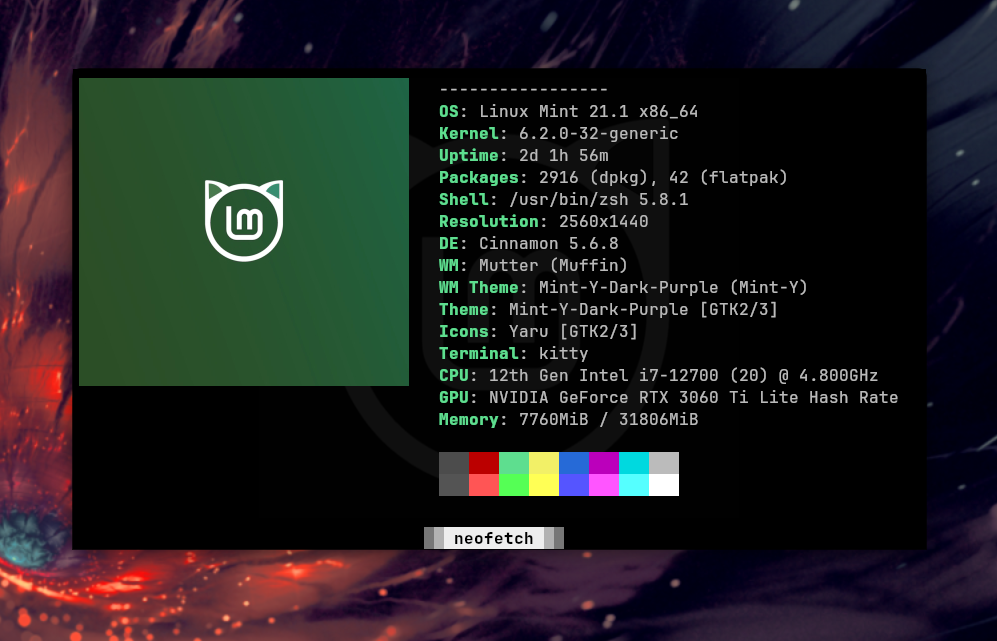
I use Kitty, because it works well on both X and Wayland, and is GPU accelerated. For some reason, Alacritty doesn't display the fonts properly (Displays them much smaller on Wayland. Only program I have such issues with)
Also Kitty is more widely packaged (for example on Debian based distros)
I use wezterm, but there are many good ones
load more comments
(1 reply)
Anything, but with tmux running inside. You can copy text even in a tty, split the terminal window, detach from and attach to tmux sessions, etc. I will never use a terminal for any moderately complex task without tmux again :)
load more comments
(4 replies)
I almost exclusively use Yakuake nowadays. I like the drop down terminal.
replies:
urxvt. It works good enough and doesn't use much memory.
replies:
foot is great. Simple, fast, and customisable enough for my needs.
Yakuake, I can't use anything other than a quake based terminal. Because of my work I need 24/7 quick access to a terminal, yakuake is just that
load more comments
(1 reply)
Alacritty is great, but I switched to wezterm due to ligatures support
I'm using foot since I've installed sway and it's just fine ..not a super user to evaluate well
load more comments
(3 replies)
Alacritty for me
Kitty has awesome framerates, easily hitting 90fps pushing 150k - 180k per frame. Alacrity is also dope.
st is good enough for my needs. I use tmux for multiplexing, scrollback, and tabs
replies:
Terminator is the one I've been using for a while
load more comments
(1 reply)
Zutty, the Zero-cost Unicode Teletype which the developer describes as "A high-end terminal for low-end systems".
kitty
Anything that supports solarized dark and solarized light theming. It is so much less eyestrain
Kitty with catppuccin and 50%-ish transparency. Works like a charm. And also if you add something like what kitti3 does (look it up on github), will be even better.
load more comments
(3 replies)
Tilix
load more comments
(1 reply)
I rather enjoy Tilix. It can tile a single tab without tmux and it can also give special handling to links matched from regexps. I use it to go from Python stacktraces to correct line in Emacs with just a click. It can also do Quake-like terminal, which I use alot.
The project is looking for maintainers, though, so it's possible at some point I need to start looking for alternatives..
Yakuake. I've been using it for more than a decade and love it.
St with few patches and personal customizations is amazing.
While y'all here:
is there a terminal emulator that has "modern" text entry controls while still having tab completion? Like selecting text by going shift+leftarrow or deleting whole words by holding ctrl+backspace/del or replacing whole words that are selected while pasting text rather than it pasting at the point where the curser is at the start of selected text so you still have to manually delete the original characters. Maybe Undo, redo with ctrl (shift) z...
Stuff like that. Just wondering. I always find it very cumbersome to fiddle with long commands especially if they contain long paths that you want to modify. Lots of backspace and arrow-keys hitting for every single character..
replies:
load more comments
(2 replies)
Been using kitty for a while now, though honestly any terminal emulator works for me.
[deleted]
load more comments
(3 replies)
Wezterm, which does everything, with a great developer behind it.
Second choice is Konsole: super solid and great rendering.
Aaand tmux with either of those.
I love wezterm, primarily because it is cross platform. The most important factor to me is being able to use the same one on Windows, Mac and Linux, because I use all three on a regular basis and don't want to maintain multiple configs. However, wezterm currently has a bug that prevents it from opening on Wayland+Nvidia which forces me to use something else on Linux. None of the other ones get close imo.
xfce4-terminal has transparency and warns when I'm about to paste multiple lines to it.
Whatever gets me connected to my tmux session over ssh
load more comments
(1 reply)
alacritty. the only downside for me is no ligatures
load more comments
(1 reply)
I really love Tabby
Tabs, CMD, SSH, Powershell... all included. It has multiple profiles, can be used portable, has themes and Integrations, like one for Docker
Never need anything else imo 😊
load more comments
(5 replies)
view more:
next ›
top 50 comments