submitted 2 years ago* (last edited 2 years ago) by to c/privacy@lemmy.ml
 

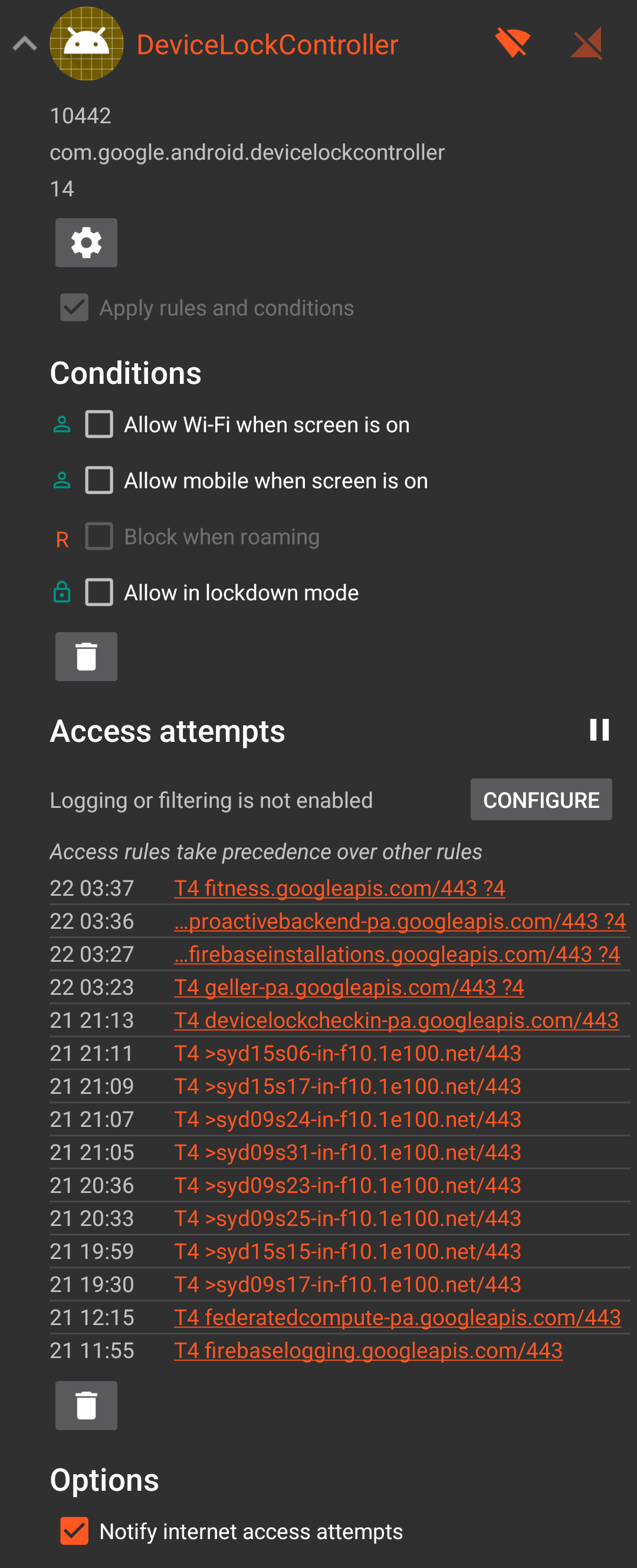
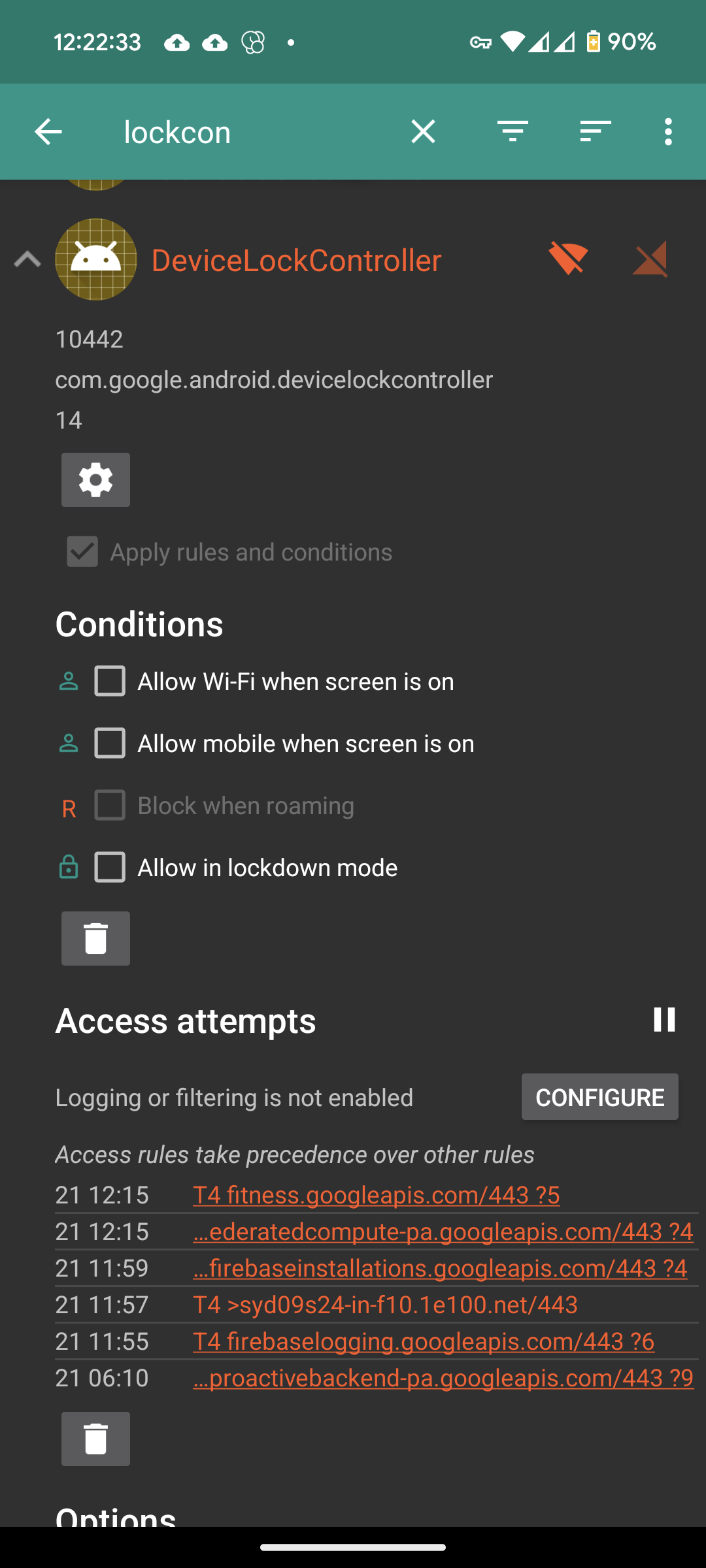
I installed NetGuard about a month ago and blocked all internet to apps, unless they're on a whitelist. No notifications from this particular system app (that can't be disabled) until recently when it started making internet connection requests to google servers. Does anyone know when this became a thing?

Edit 2: I bought my Pixel 6 phone outright, directly from Google's Australian store. I have no creditors.

Were the courts not enough control for creditors? Since when are they allowed to lock you out of your purchased property without a court order?

I don't even live in the US, so what the actual fuck?

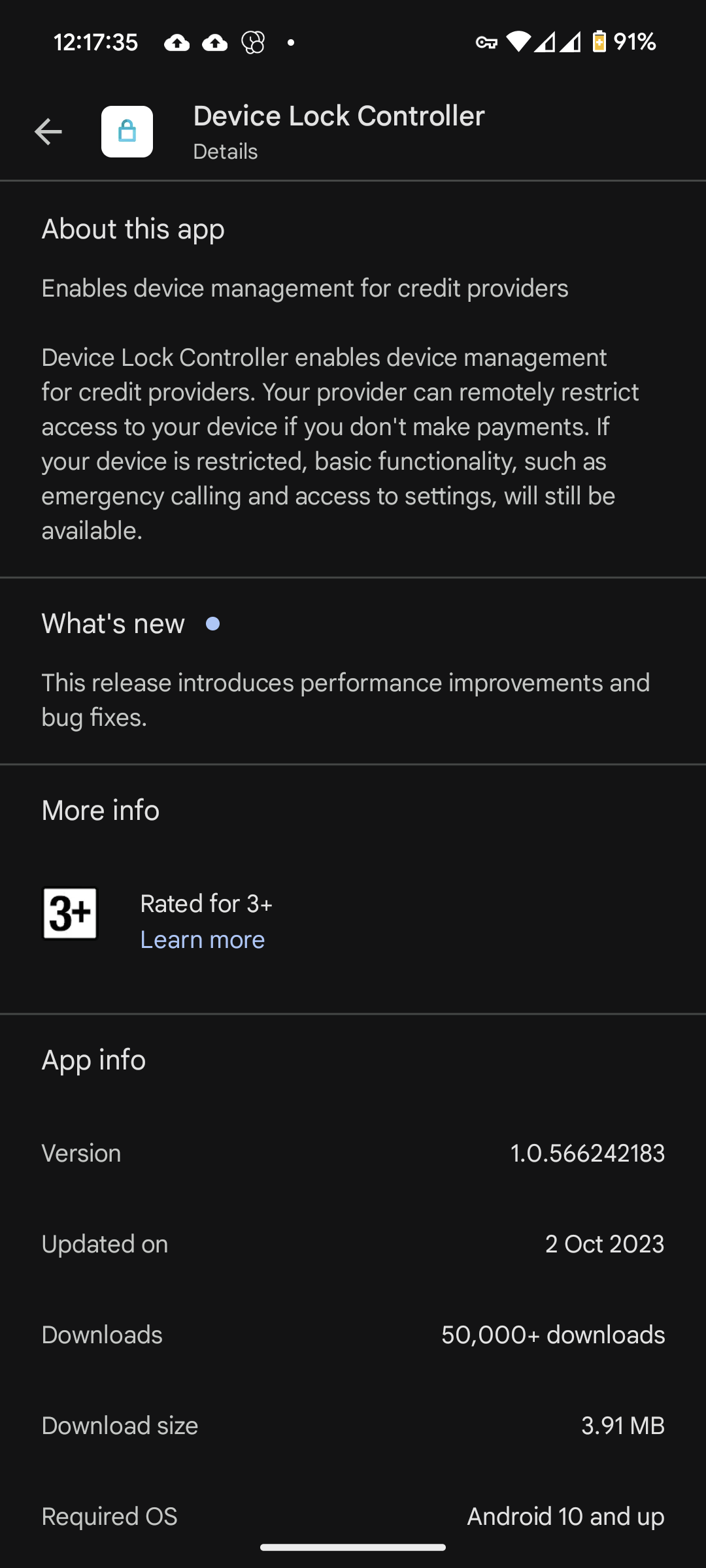
Edit 1: You can check it's installed (stock Pixel 6 android 14) Settings > Apps > All Apps > three dot menu, Show system > search "DeviceLockController".

I highly recommend getting NetGuard, you can enable pro features via their website if you have the APK for as low as 0.10€, but donate more, because it's amazing. You can also purchase via Google Play store.
you are viewing a single comment's thread
view the rest of the comments
[–] [S] 114 points 2 years ago* (last edited 2 years ago) (5 children)

Requests the app made today.

This is my phone I own outright, by the way. I don't have any creditors.

Update for those curious:

  • source
  • hideshow 10 child comments
  • [–] 50 points 2 years ago (3 children)

    adb shell pm uninstall --user 0 com.google.android.devicelockcontroller

    If you're using Shelter, then in addition to that command, replace --user 0 with --user 10

    You don't need root to do this. You can also uninstall other bloatware using this same method.

  • source
  • parent
  • hideshow 6 child comments
  • [–] 12 points 2 years ago (1 child)

    I tried this on a Pixel 7 and am getting:

    panther:/ $ pm uninstall --user 0 com.google.android.devicelockcontroller

    Failure [DELETE_FAILED_INTERNAL_ERROR]

    I also tried disable and got:

    Cannot disable a protected package: com.google.android.devicelockcontroller

  • source
  • parent
  • hideshow 2 child comments
  • [–] 6 points 2 years ago (1 child)

    New to this depth of phone administration, where are you entering this command? Is there a developer CLI I should be looking for or is this done with a third party app or something?

  • source
  • parent
  • hideshow 2 child comments
  • [–] 5 points 2 years ago (1 child)

    Look up "adb" or "Android platform tools" on your favorite search engine. It's something you do on your PC with your phone plugged in.

  • source
  • parent
  • hideshow 2 child comments
  • [–] 19 points 2 years ago

    I find it interesting that yours is com.google.android.devicelockcontroller.

    I checked mine on GrapheneOS and it looks like it's the AOSP version of the package: com.android.devicelockcontroller

  • source
  • parent
  • [–] 6 points 2 years ago (2 children)

    Mvp comment there. I checked mine and I am in the US, on a phone I originally bought on credit. I do not have that app installed. Go figure. 🤷‍♂️

    Definitely worth checking out your app list to make sure. I wonder if it accidentally came downstream from AOSP into the alt ROMs, and that's why it's not in my stock, proprietary, US market, flagship Google pixel device.

  • source
  • parent
  • hideshow 4 child comments