submitted 7 hours ago* (last edited 7 hours ago) by to c/diy@slrpnk.net
 

What I have

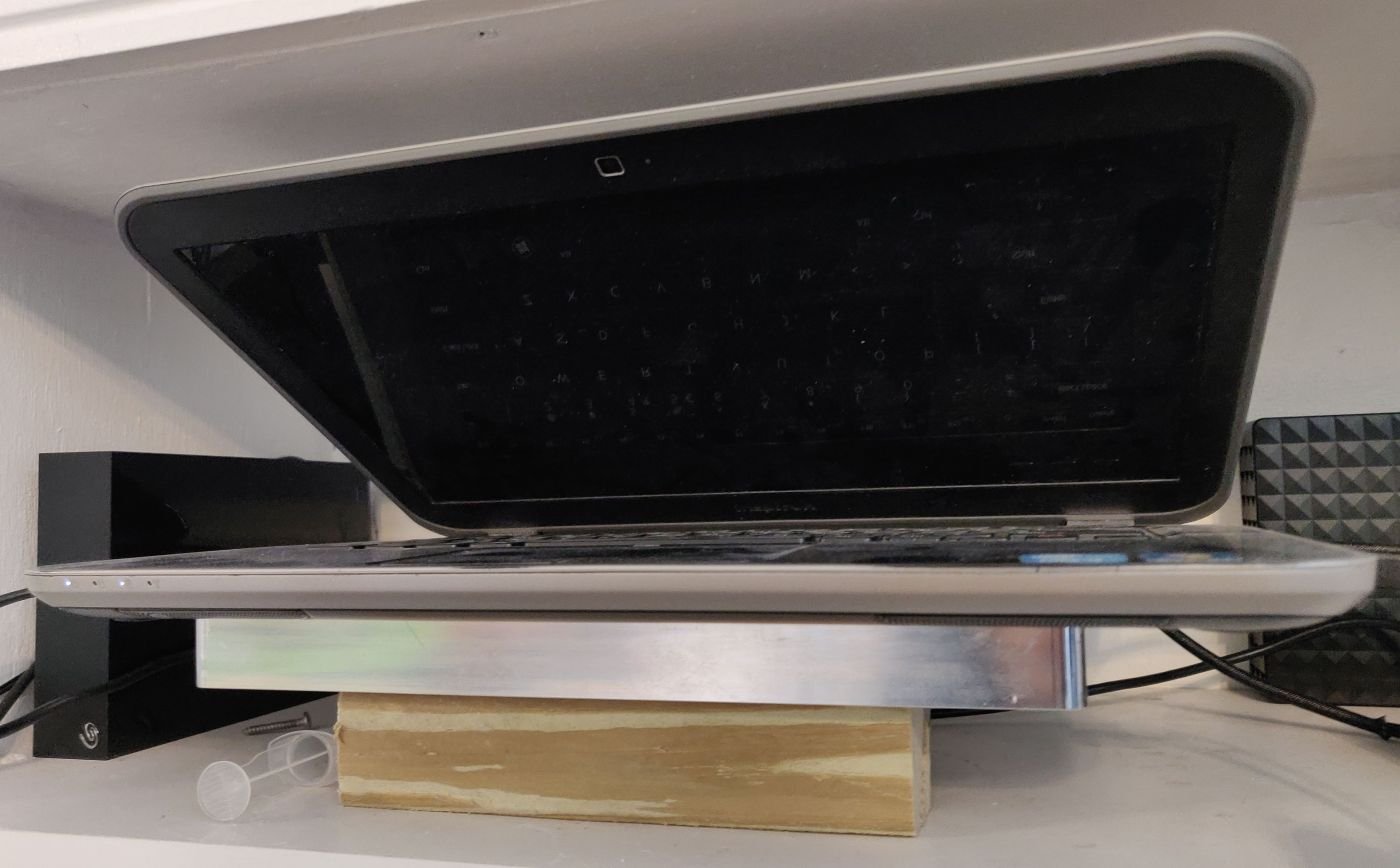
I have an old Acer Aspire A515-51G and I also have a desire to have a home server. In combination this creates a need for the laptop to carry more HDDs than it can from factory. Usually it can take one M.2 SSD and one 2.5" SATA drive.

What I want

I want to make the laptop able to run at least 4 HDDs in RAID 5 for storage and have one SSD as boot drive.

What I did

The buying phase

  • 4 HDDs
  • M.2 to SATA adapter
  • 12V/5V SATA power converter
  • 12V 10A power supply

The designing phase

I needed space to hold the HDDs, so I designed a 3D printed a cage to attach to the bottom of my laptop. Two 80mm fans can be attach to it. You can see it on printables. Also I remixed a tray (here is the original) so the HDDs can slide in and out of the cage.

.

The assembly phase

A cutout at the bottom of the laptop was needed to give access to the SATA ports of the adapter.

I put a 2.5" SSD into the already present place for it in the laptop.

Then the cage was attached to the laptop, the HDDs were put in their trays, the trays inside the cage and the cables attached to the adapter and HDDs.

all 36 comments

sorted by: hot top controversial new old
[–] 1 point 34 seconds ago

Very cool looking project. I've been stripping motherboards from my busted old laptops recently, and am setting one up as a HiFi-ish HDD player at the moment. Next step would be some sort of NAS/homelab.

Since you're already 3D printing parts, is there any reason you didn't just pull the mobo, connect the drives and made a neat headless case for it all? Not that I don't appreciate that weird lapdozer you made! 😂

  • source
  • [–] 1 point 16 minutes ago

    That looks hot!

  • source
  • [–] 3 points 3 hours ago

    Dude this is so sick

  • source
  • [–] 20 points 6 hours ago (1 child)

    Ah yes. A DIWhy project. Love it.

  • source
  • hideshow 2 child comments
  • [–] 22 points 6 hours ago (1 child)

    this is horrific, i love it so much and want to build one myself now

  • source
  • hideshow 2 child comments
  • [–] 6 points 5 hours ago (2 children)

    My only worry really is the m.2 to multi sata adapters reliability.

    But it doesnt seem like there are sata-usb adapters with data only, that allow a single power source like yours 🤔

    I might do something very similar with a mini PC

  • source
  • hideshow 4 child comments
  • [–] 3 points 4 hours ago (1 child)

    I've had a 5x version (op has the 6x) in my fileserver for easily 12+ months. Never given me an issue, just chugs along attached to an itx motherboard. I'll probably need to get another one at some stage to keep up with the collection of content.

    Using a pcie to 4x nvme riser, luckily this motherboard supports bifurcation so its single 16x pcie could become 24 sata drives if I ever required.

    USB is far more unreliable compared to these M.2 to data adaptors from my experience.

  • source
  • parent
  • hideshow 2 child comments
  • [–] 4 points 4 hours ago (1 child)

    That's one nudge away from a disaster. I'd 3d print a shroud for the sata ports/connectors that uses the laptop base screws to hold it in place. That way the laptop could slide off the drive cage without every sata port snapping off.

  • source
  • hideshow 2 child comments
  • [–] 7 points 5 hours ago (1 child)

    I did something similar awhile back. Since you already cut open the bottom of your laptop I would suggest you cutting another window over the CPU and adding a large plate of aluminum as a shelf between the laptop and you hard drives. Then add a shim so the CPU cooler and plate touch, then you will have a passively cool laptop server with an internal UPS battery.

  • source
  • hideshow 2 child comments
  • [–] [S] 2 points 5 hours ago (1 child)

    I am not worried about cooling. The system will be in a cool place, the HDDs are cooled by the 80mm fans and the laptop has its own cooling system that I just de-dusted.

  • source
  • parent
  • hideshow 2 child comments
  • [–] 11 points 6 hours ago (1 child)

    Do you use the laptop as a laptop? Or is it now just a laptop shaped NAS?

  • source
  • hideshow 2 child comments
  • [–] [S] 7 points 5 hours ago (1 child)
  • [–] 2 points 4 hours ago* (1 child)

    Thats a relief, I was worried you were completely deranged. :D

    What NAS software? Does the nvme to sata thing properly pass through the disk serial numbers? Truenas gets very pissy if the disk serial numbers aren't passed in properly.

  • source
  • parent
  • hideshow 2 child comments
  • [–] [S] 13 points 6 hours ago (1 child)

    Somewhat off-topic: How could I crosspost to more communities, like DIY on beehaw or 3D printing communities? Would I need to create a completely new post on them? Or just post the link to this post?

  • source
  • hideshow 2 child comments
  • [–] 7 points 6 hours ago (1 child)

    At the top of the Lemmy UI underneath your title is a row of option icons; the icon to the left of the last icon with the three vertical dots - looks like maybe the Copy icon, sorta - is the Crosspost option. Click it and follow your nose, the new community dropdown is at the bottom of that next screen.

  • source
  • parent
  • hideshow 2 child comments
  • [–] 3 points 4 hours ago (2 children)

    Is the battery still in the laptop?

  • source
  • hideshow 4 child comments
  • [–] 2 points 4 hours ago* (1 child)

    very cool. wanted to do exactly that something similar with a Lenovo Ideapad I found. except, I don't want to buy the adapter board, I just wanna utilise the existing two SATA ports in the laptop; one HDD, one DVD. haven't figured a zerospend way to do that, as the SATA ports on the MB are female, as are the cables.

    second, don't wanna use an external PSU, there's gotta be a way to get 12 V off the board somehow or use a step-down module from, say, backlight?

    does acer have a power-on on AC setting in the setup or do you have to power it on manually?

  • source
  • hideshow 2 child comments
  • [–] [S] 2 points 3 hours ago (1 child)

    I power the laptop with its external PSU and removed the battery. Not sure that answers your question.

  • source
  • parent
  • hideshow 2 child comments
  • [–] 5 points 6 hours ago (2 children)

    I would probably add rubber/etc feet on the cage to keep it from vibrating around as they spin, and maybe a handle for carrying! It's a mobile laptop after all... :) What if someone tries to snatch-and-grab a HDD while you're getting a coffee, do we have an alarm system? Lo-jack?

  • source
  • hideshow 4 child comments
  • [–] 2 points 5 hours ago

    I've considered this a few times, but having two separate power bricks seems like a bad idea to me.

    Like, logically it should be perfectly fine, but it feels like it's creating a problem.

    What happens if the laptop powers down, don't the hard drives keep running? Is that an issue?

    What about sleep or just low power? It just feels like there's situations where you want the power supplies to be off.

    I get that NAS devices are on 24/7, but still... Makes me hesitate.

  • source