top 50 comments

sorted by: hot top controversial new old
[–] 69 points 2 years ago (9 children)

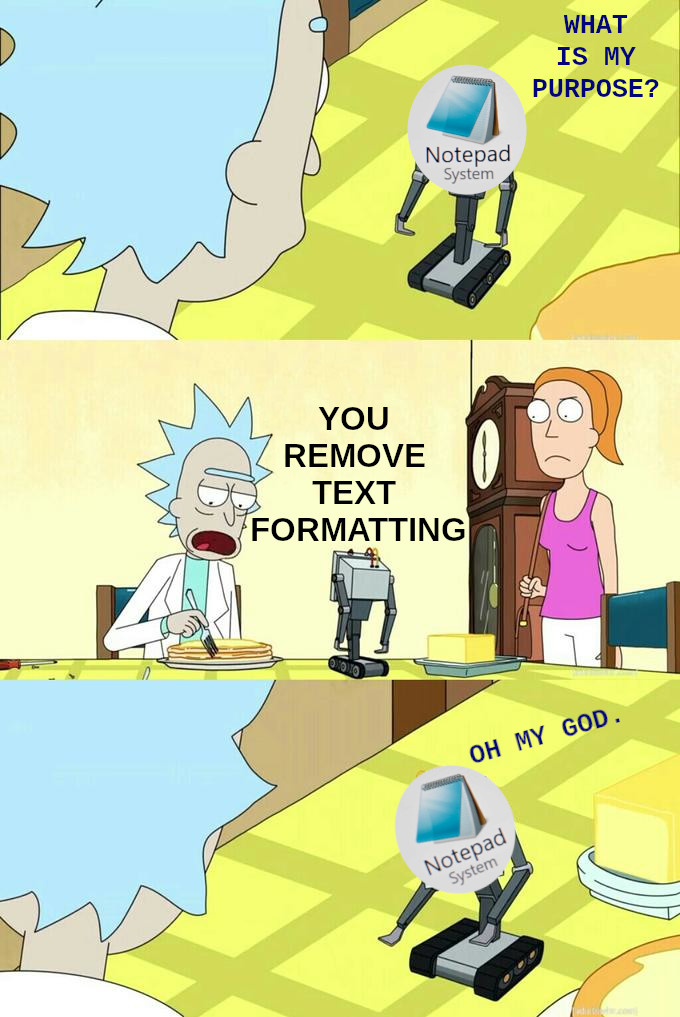
Shift + control + V makes this bot obsolete

  • source
  • hideshow 9 child comments
  • [–] 61 points 2 years ago (6 children)

    It doesn't work in all apps.

    For those instances, I paste + cut in my browsers url bar (unless multiline, then notepad)

  • source
  • parent
  • hideshow 6 child comments
  • [–] 15 points 2 years ago (3 children)

    I hit Win+R and use the run dialogue text bar.

  • source
  • parent
  • hideshow 3 child comments
  • load more comments (1 reply)
  • [–] 52 points 2 years ago (13 children)

    You're the only program that loads quickly enough on my pile of junk machine to write down my impulsive ADHD ideas before I forget them so I can forget to read them later

  • source
  • hideshow 13 child comments
  • [–] 10 points 2 years ago (7 children)

    have you considered a notebook next to your keyboard, so you can jot down those ADHD ideas in a pinch?

  • source
  • parent
  • hideshow 7 child comments
  • load more comments (1 reply)
  • [–] 34 points 2 years ago (13 children)

    CTRL + SHIFT + V in Windows pastes without formatting

  • source
  • hideshow 13 child comments
  • [–] 18 points 2 years ago (2 children)

    Depends on the app, it’s not a “windows” thing.

  • source
  • parent
  • hideshow 2 child comments
  • [–] 11 points 2 years ago (2 children)
  • [–] 3 points 2 years ago (1 child)

    It depends on how the app you were using was written. If it was written correctly, it'll work, if not, blame the company that made it (especially when it's Microsoft themselves!).

    Power Toys has a feature that will force it to work in every app, I highly recommend it! There's all sorts of helpful features in Power Toys.

  • source
  • parent
  • hideshow 1 child comment
  • [+] 4 points 2 years ago* (last edited 1 year ago) (5 children)
  • [–] 3 points 2 years ago (4 children)

    I can believe it: Stuff like this is not very well advertised to users so tons of useful shortcuts go unused regularly.

    Bonus hotkeys:

    WIN + X will also bring up a more helpful menu and allow you to do things like shut down, restart, sleep the computer using only a few keystrokes instead of clicking around.

    WIN + right or left arrow will snap the screen to one side or the other, WIN + up maximizes, WIN + down will minimize

  • source
  • parent
  • hideshow 4 child comments
  • [+] 23 points 2 years ago* (last edited 1 year ago) (6 children)
  • [–] 12 points 2 years ago (4 children)

    Notepad++. You don't even have to "save" the file! When I used Windows that is pretty much a requirement and it makes an excellent scratch pad.

  • source
  • parent
  • hideshow 4 child comments
  • [–] 3 points 2 years ago (2 children)
  • load more comments (1 reply)
  • [–] 19 points 2 years ago (3 children)
  • [–] 4 points 2 years ago (1 child)

    I love it too, but it takes longer to open, and wants to update its self every time I open it. If I just want a plain text editor I still use plain notepad. I save ++ for when I need some special features.

  • source
  • parent
  • hideshow 1 child comment
  • [–] 16 points 2 years ago (1 child)
  • [–] 16 points 2 years ago (1 child)

    Before even typing "notepad" after hitting Win+R, I realised I could just paste my text directly into the run dialog and re-copy it.

  • source
  • hideshow 1 child comment
  • load more comments (1 reply)
    [–] 14 points 2 years ago (2 children)

    Shit not even that anymore, now that M$ wants to monetize it, too.

    Notepad++ is the go-to tool I have been using since finding out about it a long ass time ago.

  • source
  • hideshow 2 child comments
  • load more comments (1 reply)
    [–] 13 points 2 years ago (2 children)

    Nah, I use it a lot for editing .ini files for games.

  • source
  • hideshow 2 child comments
  • [–] 12 points 2 years ago (1 child)

    Try Notepad++, its free, open source, and well worth the minimal effort to download and install.

  • source
  • parent
  • hideshow 1 child comment
  • [–] 3 points 2 years ago

    NP++ is great but sometimes you want something even more minimal... I for example hate NP++'s icon toolbar and it's cluttered menu bar and would never use it even though I acknowledge that it's a great tool (just not for me).

    Classic notepad.exe with basic syntax highlighting would be amazing...

  • source
  • parent
  • [+] 11 points 2 years ago* (last edited 1 year ago)
    [–] 10 points 2 years ago

    Heeey Notepad has Copilot included now! I wonder why they ruin the app.

  • source
  • [–] 5 points 2 years ago

    Watch microsoft "update" notepad to ruin this feature..

  • source
  • [–] 3 points 2 years ago (2 children)

    @cm0002 OMG that is what I use it for on windows at work.
    Who the hell decided the formatting should be part of the copy anyhow.

  • source
  • hideshow 2 child comments
  • load more comments (2 replies)
    load more comments
    view more: next ›