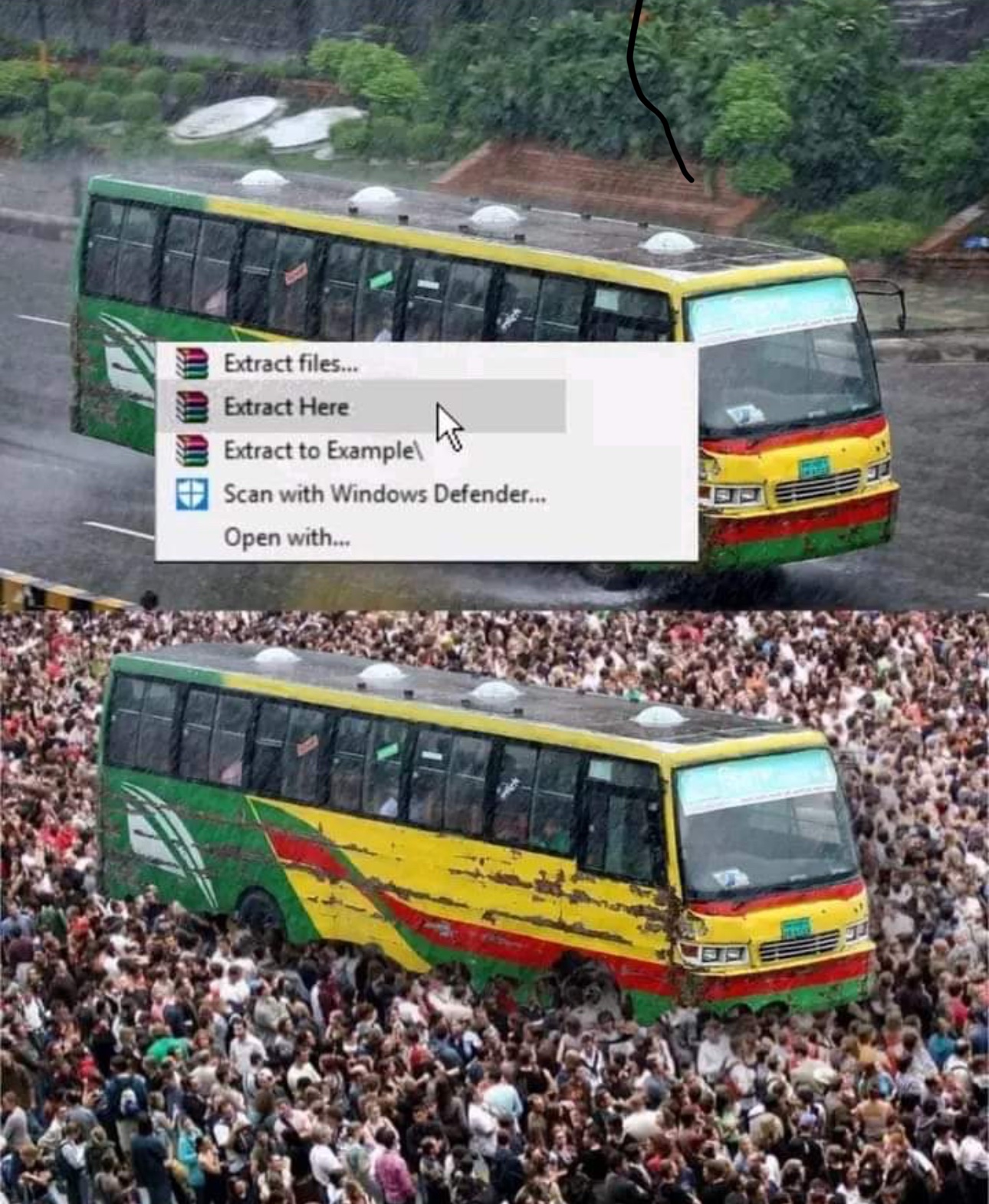
▲ 475 ▼ A visual aid for zip files (startrek.website) submitted 2 years ago by The_Picard_Maneuver@startrek.website [M] to c/memes@lemmy.world 29 comments fedilink hide all child comments
[–] FlyingSquid@lemmy.world 5 points 2 years ago (3 children) My desktop is reserved for screenshots. Archives get unzipped or unrared in a folder in Downloads. permalink fedilink source parent hideshow 6 child comments replies: [–] stebo02@sopuli.xyz 17 points 2 years ago (2 children) My desktop is reserved for absolutely nothing. It's empty. permalink fedilink source parent hideshow 4 child comments replies: [–] tiramichu@lemm.ee 5 points 2 years ago This is the way permalink fedilink source parent [–] FlyingSquid@lemmy.world 1 point 2 years ago I have to take endless screenshots for work and it's a convenient place to put them. permalink fedilink source parent [–] vettnerk@lemmy.ml 4 points 2 years ago* (last edited 2 years ago) My private PC: a shell script for altering xmodmap more to my liking. Nothing else. Work PC: endless excel files, text files with notes, a bunch of schematics in pdf format, new folder, new folder (1), aoeu.txt, misc shortcuts, a folder full of stuff I probably don't need anymore but shouldn't delete, a couple of work related pictures, a myriad ofbhalf-finished reports, a 4gig dd dump that I honestly don't remember making, only that it was important for later for.... something. Sometimes i take everything and stick it into a subfolder with a date as the name, in an attempt at cleaning up the desktop while keeping things that might still be important. I have five of these folders on the desktop. I ought to make a sixth. permalink fedilink source parent [–] Scubus@sh.itjust.works 2 points 2 years ago Speaking of screenshots and desktops, next time you want to prank your friend, take a screenshot of his desktop. Then set that as his desktop background. Then right click and hide desktop images. Now, it looks like everything is normal, but nothing can be interacted with. For extra oomph, open task manager and close explorer.exe. This will disable the task bar, right clicking, and the start menu. Now the only way to fix it is to know the hotkey to open taskmanager, or to reboot the system. Also, Google fake windows update screens and then full screen them. Windows is notorious for forcing updates and taking forever to install them. With any luck, your friend will be staring at a perfectly usable computer for hours before realizing. They're unlikely to want to restart the computer as well, since that(if it were a real update) could corrupt the system/make you restart the install from 0% permalink fedilink source parent
[–] stebo02@sopuli.xyz 17 points 2 years ago (2 children) My desktop is reserved for absolutely nothing. It's empty. permalink fedilink source parent hideshow 4 child comments replies: [–] tiramichu@lemm.ee 5 points 2 years ago This is the way permalink fedilink source parent [–] FlyingSquid@lemmy.world 1 point 2 years ago I have to take endless screenshots for work and it's a convenient place to put them. permalink fedilink source parent
[–] FlyingSquid@lemmy.world 1 point 2 years ago I have to take endless screenshots for work and it's a convenient place to put them. permalink fedilink source parent
[–] vettnerk@lemmy.ml 4 points 2 years ago* (last edited 2 years ago) My private PC: a shell script for altering xmodmap more to my liking. Nothing else. Work PC: endless excel files, text files with notes, a bunch of schematics in pdf format, new folder, new folder (1), aoeu.txt, misc shortcuts, a folder full of stuff I probably don't need anymore but shouldn't delete, a couple of work related pictures, a myriad ofbhalf-finished reports, a 4gig dd dump that I honestly don't remember making, only that it was important for later for.... something. Sometimes i take everything and stick it into a subfolder with a date as the name, in an attempt at cleaning up the desktop while keeping things that might still be important. I have five of these folders on the desktop. I ought to make a sixth. permalink fedilink source parent
[–] Scubus@sh.itjust.works 2 points 2 years ago Speaking of screenshots and desktops, next time you want to prank your friend, take a screenshot of his desktop. Then set that as his desktop background. Then right click and hide desktop images. Now, it looks like everything is normal, but nothing can be interacted with. For extra oomph, open task manager and close explorer.exe. This will disable the task bar, right clicking, and the start menu. Now the only way to fix it is to know the hotkey to open taskmanager, or to reboot the system. Also, Google fake windows update screens and then full screen them. Windows is notorious for forcing updates and taking forever to install them. With any luck, your friend will be staring at a perfectly usable computer for hours before realizing. They're unlikely to want to restart the computer as well, since that(if it were a real update) could corrupt the system/make you restart the install from 0% permalink fedilink source parent