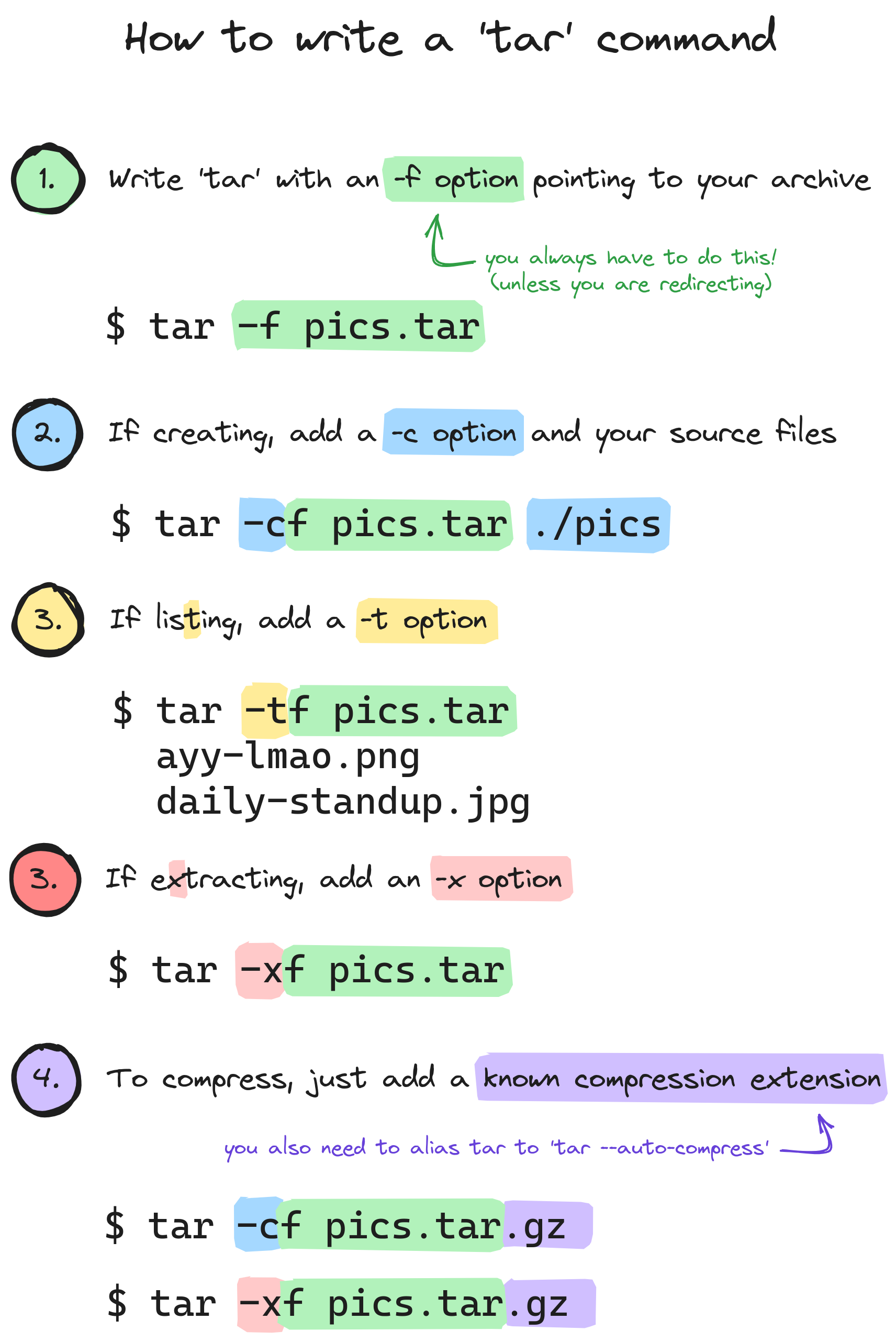
▲ 843 ▼ How to write a 'tar' command (lemmy.sdf.org) submitted 2 years ago by sebastiancarlos@lemmy.sdf.org to c/linux@lemmy.ml 154 comments fedilink hide all child comments
[–] HumanBehaviorByBjork@hexbear.net 9 points 2 years ago (2 children) just now realizing that .tar files aren't compressed by default, and that that's the reason why it's always .tar.gz permalink fedilink source hideshow 4 child comments replies: [–] arc@lemm.ee 3 points 2 years ago tar was originally was for tape archiving so it's just a stream of headers and files which end up directed to a file or a device. It's not well ordered, just whatever file happens to be found next is the next in the stream. When you compress the tar this stream it's just piped through gzip or bzip2 on its way. The tradeoff for compressing this way is if you want to list the contents of the tar then you essentially have to decompress and stream through the whole thing to see what's in it unlike a .zip or .7z where there would be a separate index at the end which can be read far more easily. permalink fedilink source parent [–] Flyberius@hexbear.net 2 points 2 years ago Took me a while to permalink fedilink source parent
[–] arc@lemm.ee 3 points 2 years ago tar was originally was for tape archiving so it's just a stream of headers and files which end up directed to a file or a device. It's not well ordered, just whatever file happens to be found next is the next in the stream. When you compress the tar this stream it's just piped through gzip or bzip2 on its way. The tradeoff for compressing this way is if you want to list the contents of the tar then you essentially have to decompress and stream through the whole thing to see what's in it unlike a .zip or .7z where there would be a separate index at the end which can be read far more easily. permalink fedilink source parent