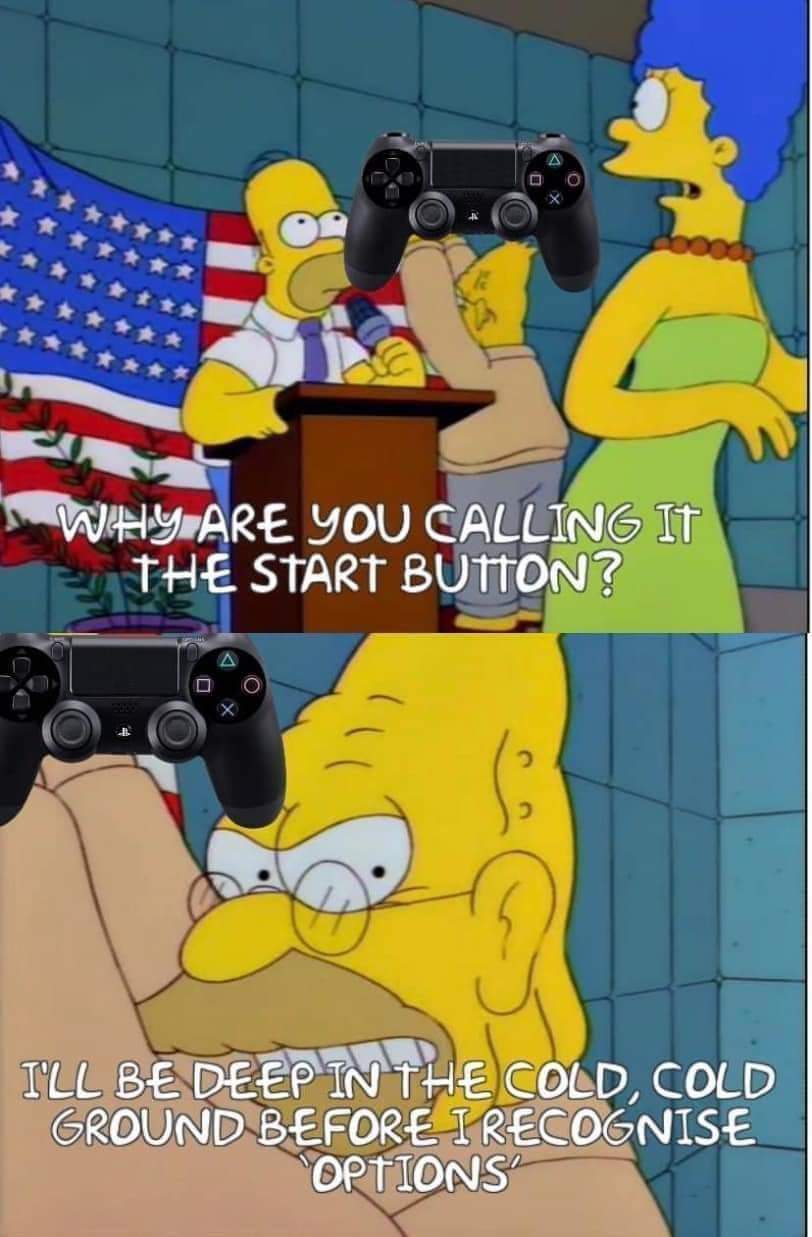
▲ 955 ▼ I'm very guilty of this. I'm an old man set in my ways. (startrek.website) submitted 3 years ago by The_Picard_Maneuver@startrek.website to c/memes@lemmy.ml 103 comments fedilink hide all child comments
[–] WarmSoda@lemm.ee 148 points 3 years ago (25 children) It's select and start. What's it supposed to be, windows and hamburgers? permalink fedilink source hideshow 25 child comments replies: [–] The_Picard_Maneuver@startrek.website [S] 68 points 3 years ago (5 children) I won't give it up. Select and Start. My wife makes fun of me for it whenever we play couch co-op games. "What do you mean press start? My controller doesn't have a Start" permalink fedilink source parent hideshow 5 child comments replies: [–] WarmSoda@lemm.ee 66 points 3 years ago (2 children) So you married her for her looks, it could be worse. permalink fedilink source parent hideshow 2 child comments replies: [–] XEAL@lemm.ee 4 points 3 years ago (1 child) I mean, she's still a gamer at least... permalink fedilink source parent hideshow 1 child comment replies: [+] WarmSoda@lemm.ee 0 points 3 years ago [deleted] permalink fedilink source parent [–] XEAL@lemm.ee 42 points 3 years ago "Press the button formerly known as Start" permalink fedilink source parent [–] WhiskyTangoFoxtrot@lemmy.world 2 points 3 years ago I won’t give it up. Will you let it down? permalink fedilink source parent [–] instamat@lemmy.world 17 points 3 years ago (3 children) It’s going to be windows and hamburgers to me from now on permalink fedilink source parent hideshow 3 child comments replies: [–] WarmSoda@lemm.ee 2 points 3 years ago (1 child) I thought it about it again. Should have said cheese slices and hamburgers. permalink fedilink source parent hideshow 1 child comment replies: [–] instamat@lemmy.world 2 points 3 years ago You were spot on the first time. It’s windows and hamburgers! permalink fedilink source parent [–] mcqtom@lemmy.world 2 points 3 years ago I'm 100% Hamburger and Tie Fighter. permalink fedilink source parent [+] WhyIDie@lemmy.ml 14 points 3 years ago* (last edited 3 years ago) [deleted] permalink fedilink source parent [–] BackOnMyBS@lemmy.world 11 points 3 years ago* ⬆️⬆️⬇️⬇️⬅️➡️⬅️➡️🅱️🅰️🅱️🅰️[select][start] REST 30 REST 30 🏅🏅🏅🏅 🎖️🎖️🎖️🎖️ permalink fedilink source parent [–] killeronthecorner@lemmy.world 9 points 3 years ago (9 children) WTF was the select button actually for? I get start because it was often the button on arcades or gamepads that allowed you to choose menu options (which still works but has mostly been replaced by A). What were we supposed to be "selecting"? permalink fedilink source parent hideshow 9 child comments replies: [–] GrammatonCleric@lemmy.world 22 points 3 years ago (2 children) On the title screen of older NES games, the select button changed what mode you played in, then you hit start to start that mode/variation. permalink fedilink source parent hideshow 2 child comments replies: [–] killeronthecorner@lemmy.world 9 points 3 years ago (1 child) Ahh this makes sense. I played a lot of NES as a kid but must have just never encountered it permalink fedilink source parent hideshow 1 child comment replies: [–] can@sh.itjust.works 1 point 3 years ago You always played the default game mode. permalink fedilink source parent [–] rotopenguin@infosec.pub 15 points 3 years ago* (last edited 3 years ago) (3 children) Select and Start was how the Atari 2600 did things. At the time, everybody was designing in terms of having one set of controls for when you're in the game, and a set of meta-controls for adjusting stuff outside the game. The 2600 configuration GUI was the dumbest thing in the world. You look at a grid chart of game options in the manual, and you press the Select button 35 times to get to the version that you want. The Famicom was much more able to draw and interact with a real configuration GUI. But Nintendo's own experience was mostly in making the arcade game "Donkey Kong", where you pick how many players by "pressing" the insert coin button and then Start. Nintendo was selling to a market that mostly knows home games from picking up a 2600 at a bankruptcy sale. So, keeping the separate meta-game buttons and game buttons was natural at the time. Later games developed a better design language for the meta-game UI, so most game studios left the Select/Start interface behind. (Lol now I see that TubbyCustard said it all, but better) permalink fedilink source parent hideshow 3 child comments replies: [–] Blackmist@feddit.uk 1 point 3 years ago I used to have a black and white Binatone TV game knockoff. 10 games, mostly variations of Pong. All the game options like speed and bat size were big physical toggle switches on the main unit. permalink fedilink source parent [–] son_named_bort@lemmy.world 1 point 3 years ago (1 child) The start button back then was called the reset switch. Hit reset when you get to game 13, you'd say. Now where was I? Oh yeah, the game select switch was on the console, which was the style at the time. permalink fedilink source parent hideshow 1 child comment replies: [–] rotopenguin@infosec.pub 1 point 3 years ago* Oh yeah, they did put "reset" on it huh? I don't know how they ever came up with that. Everywhere else, "reset" means "device gets zeroed out to its initialization state". The only real reset was to turn the system off and on again. On some of those Atari originals, when you press select one time too many turning it off is the fastest way to start back around again. Video Olympics I'm looking at you permalink fedilink source parent [–] WarmSoda@lemm.ee 13 points 3 years ago It was originally for selecting different options. You're on the start screen and it says: 1 Player. 2 Players. You press select to choose which one. That's just an example, lots of NES games were like that. permalink fedilink source parent [+] CubbyTustard@reddthat.com 12 points 3 years ago* (last edited 3 years ago) [deleted] permalink fedilink source parent [–] KaiReeve@lemmy.world 3 points 3 years ago I actually have a windows button on my gaming device. Still searching for the hamburgers button though permalink fedilink source parent [–] valek879@sh.itjust.works 1 point 3 years ago Honestly I call them "start" and "the tab button." I grew up with a PlayStation and PS2 but haven't owned any console since the switch, preferring PC. So I remember start because it's the start menu but select is usually on tab on PC. permalink fedilink source parent [–] Disgusted_Tadpole@lemmy.ml -1 points 3 years ago This is the way. permalink fedilink source parent
[–] The_Picard_Maneuver@startrek.website [S] 68 points 3 years ago (5 children) I won't give it up. Select and Start. My wife makes fun of me for it whenever we play couch co-op games. "What do you mean press start? My controller doesn't have a Start" permalink fedilink source parent hideshow 5 child comments replies: [–] WarmSoda@lemm.ee 66 points 3 years ago (2 children) So you married her for her looks, it could be worse. permalink fedilink source parent hideshow 2 child comments replies: [–] XEAL@lemm.ee 4 points 3 years ago (1 child) I mean, she's still a gamer at least... permalink fedilink source parent hideshow 1 child comment replies: [+] WarmSoda@lemm.ee 0 points 3 years ago [deleted] permalink fedilink source parent [–] XEAL@lemm.ee 42 points 3 years ago "Press the button formerly known as Start" permalink fedilink source parent [–] WhiskyTangoFoxtrot@lemmy.world 2 points 3 years ago I won’t give it up. Will you let it down? permalink fedilink source parent
[–] WarmSoda@lemm.ee 66 points 3 years ago (2 children) So you married her for her looks, it could be worse. permalink fedilink source parent hideshow 2 child comments replies: [–] XEAL@lemm.ee 4 points 3 years ago (1 child) I mean, she's still a gamer at least... permalink fedilink source parent hideshow 1 child comment replies: [+] WarmSoda@lemm.ee 0 points 3 years ago [deleted] permalink fedilink source parent
[–] XEAL@lemm.ee 4 points 3 years ago (1 child) I mean, she's still a gamer at least... permalink fedilink source parent hideshow 1 child comment replies: [+] WarmSoda@lemm.ee 0 points 3 years ago [deleted] permalink fedilink source parent
[–] XEAL@lemm.ee 42 points 3 years ago "Press the button formerly known as Start" permalink fedilink source parent
[–] WhiskyTangoFoxtrot@lemmy.world 2 points 3 years ago I won’t give it up. Will you let it down? permalink fedilink source parent
[–] instamat@lemmy.world 17 points 3 years ago (3 children) It’s going to be windows and hamburgers to me from now on permalink fedilink source parent hideshow 3 child comments replies: [–] WarmSoda@lemm.ee 2 points 3 years ago (1 child) I thought it about it again. Should have said cheese slices and hamburgers. permalink fedilink source parent hideshow 1 child comment replies: [–] instamat@lemmy.world 2 points 3 years ago You were spot on the first time. It’s windows and hamburgers! permalink fedilink source parent [–] mcqtom@lemmy.world 2 points 3 years ago I'm 100% Hamburger and Tie Fighter. permalink fedilink source parent
[–] WarmSoda@lemm.ee 2 points 3 years ago (1 child) I thought it about it again. Should have said cheese slices and hamburgers. permalink fedilink source parent hideshow 1 child comment replies: [–] instamat@lemmy.world 2 points 3 years ago You were spot on the first time. It’s windows and hamburgers! permalink fedilink source parent
[–] instamat@lemmy.world 2 points 3 years ago You were spot on the first time. It’s windows and hamburgers! permalink fedilink source parent
[–] mcqtom@lemmy.world 2 points 3 years ago I'm 100% Hamburger and Tie Fighter. permalink fedilink source parent
[+] WhyIDie@lemmy.ml 14 points 3 years ago* (last edited 3 years ago) [deleted] permalink fedilink source parent
[–] BackOnMyBS@lemmy.world 11 points 3 years ago* ⬆️⬆️⬇️⬇️⬅️➡️⬅️➡️🅱️🅰️🅱️🅰️[select][start] REST 30 REST 30 🏅🏅🏅🏅 🎖️🎖️🎖️🎖️ permalink fedilink source parent
[–] killeronthecorner@lemmy.world 9 points 3 years ago (9 children) WTF was the select button actually for? I get start because it was often the button on arcades or gamepads that allowed you to choose menu options (which still works but has mostly been replaced by A). What were we supposed to be "selecting"? permalink fedilink source parent hideshow 9 child comments replies: [–] GrammatonCleric@lemmy.world 22 points 3 years ago (2 children) On the title screen of older NES games, the select button changed what mode you played in, then you hit start to start that mode/variation. permalink fedilink source parent hideshow 2 child comments replies: [–] killeronthecorner@lemmy.world 9 points 3 years ago (1 child) Ahh this makes sense. I played a lot of NES as a kid but must have just never encountered it permalink fedilink source parent hideshow 1 child comment replies: [–] can@sh.itjust.works 1 point 3 years ago You always played the default game mode. permalink fedilink source parent [–] rotopenguin@infosec.pub 15 points 3 years ago* (last edited 3 years ago) (3 children) Select and Start was how the Atari 2600 did things. At the time, everybody was designing in terms of having one set of controls for when you're in the game, and a set of meta-controls for adjusting stuff outside the game. The 2600 configuration GUI was the dumbest thing in the world. You look at a grid chart of game options in the manual, and you press the Select button 35 times to get to the version that you want. The Famicom was much more able to draw and interact with a real configuration GUI. But Nintendo's own experience was mostly in making the arcade game "Donkey Kong", where you pick how many players by "pressing" the insert coin button and then Start. Nintendo was selling to a market that mostly knows home games from picking up a 2600 at a bankruptcy sale. So, keeping the separate meta-game buttons and game buttons was natural at the time. Later games developed a better design language for the meta-game UI, so most game studios left the Select/Start interface behind. (Lol now I see that TubbyCustard said it all, but better) permalink fedilink source parent hideshow 3 child comments replies: [–] Blackmist@feddit.uk 1 point 3 years ago I used to have a black and white Binatone TV game knockoff. 10 games, mostly variations of Pong. All the game options like speed and bat size were big physical toggle switches on the main unit. permalink fedilink source parent [–] son_named_bort@lemmy.world 1 point 3 years ago (1 child) The start button back then was called the reset switch. Hit reset when you get to game 13, you'd say. Now where was I? Oh yeah, the game select switch was on the console, which was the style at the time. permalink fedilink source parent hideshow 1 child comment replies: [–] rotopenguin@infosec.pub 1 point 3 years ago* Oh yeah, they did put "reset" on it huh? I don't know how they ever came up with that. Everywhere else, "reset" means "device gets zeroed out to its initialization state". The only real reset was to turn the system off and on again. On some of those Atari originals, when you press select one time too many turning it off is the fastest way to start back around again. Video Olympics I'm looking at you permalink fedilink source parent [–] WarmSoda@lemm.ee 13 points 3 years ago It was originally for selecting different options. You're on the start screen and it says: 1 Player. 2 Players. You press select to choose which one. That's just an example, lots of NES games were like that. permalink fedilink source parent [+] CubbyTustard@reddthat.com 12 points 3 years ago* (last edited 3 years ago) [deleted] permalink fedilink source parent
[–] GrammatonCleric@lemmy.world 22 points 3 years ago (2 children) On the title screen of older NES games, the select button changed what mode you played in, then you hit start to start that mode/variation. permalink fedilink source parent hideshow 2 child comments replies: [–] killeronthecorner@lemmy.world 9 points 3 years ago (1 child) Ahh this makes sense. I played a lot of NES as a kid but must have just never encountered it permalink fedilink source parent hideshow 1 child comment replies: [–] can@sh.itjust.works 1 point 3 years ago You always played the default game mode. permalink fedilink source parent
[–] killeronthecorner@lemmy.world 9 points 3 years ago (1 child) Ahh this makes sense. I played a lot of NES as a kid but must have just never encountered it permalink fedilink source parent hideshow 1 child comment replies: [–] can@sh.itjust.works 1 point 3 years ago You always played the default game mode. permalink fedilink source parent
[–] can@sh.itjust.works 1 point 3 years ago You always played the default game mode. permalink fedilink source parent
[–] rotopenguin@infosec.pub 15 points 3 years ago* (last edited 3 years ago) (3 children) Select and Start was how the Atari 2600 did things. At the time, everybody was designing in terms of having one set of controls for when you're in the game, and a set of meta-controls for adjusting stuff outside the game. The 2600 configuration GUI was the dumbest thing in the world. You look at a grid chart of game options in the manual, and you press the Select button 35 times to get to the version that you want. The Famicom was much more able to draw and interact with a real configuration GUI. But Nintendo's own experience was mostly in making the arcade game "Donkey Kong", where you pick how many players by "pressing" the insert coin button and then Start. Nintendo was selling to a market that mostly knows home games from picking up a 2600 at a bankruptcy sale. So, keeping the separate meta-game buttons and game buttons was natural at the time. Later games developed a better design language for the meta-game UI, so most game studios left the Select/Start interface behind. (Lol now I see that TubbyCustard said it all, but better) permalink fedilink source parent hideshow 3 child comments replies: [–] Blackmist@feddit.uk 1 point 3 years ago I used to have a black and white Binatone TV game knockoff. 10 games, mostly variations of Pong. All the game options like speed and bat size were big physical toggle switches on the main unit. permalink fedilink source parent [–] son_named_bort@lemmy.world 1 point 3 years ago (1 child) The start button back then was called the reset switch. Hit reset when you get to game 13, you'd say. Now where was I? Oh yeah, the game select switch was on the console, which was the style at the time. permalink fedilink source parent hideshow 1 child comment replies: [–] rotopenguin@infosec.pub 1 point 3 years ago* Oh yeah, they did put "reset" on it huh? I don't know how they ever came up with that. Everywhere else, "reset" means "device gets zeroed out to its initialization state". The only real reset was to turn the system off and on again. On some of those Atari originals, when you press select one time too many turning it off is the fastest way to start back around again. Video Olympics I'm looking at you permalink fedilink source parent
[–] Blackmist@feddit.uk 1 point 3 years ago I used to have a black and white Binatone TV game knockoff. 10 games, mostly variations of Pong. All the game options like speed and bat size were big physical toggle switches on the main unit. permalink fedilink source parent
[–] son_named_bort@lemmy.world 1 point 3 years ago (1 child) The start button back then was called the reset switch. Hit reset when you get to game 13, you'd say. Now where was I? Oh yeah, the game select switch was on the console, which was the style at the time. permalink fedilink source parent hideshow 1 child comment replies: [–] rotopenguin@infosec.pub 1 point 3 years ago* Oh yeah, they did put "reset" on it huh? I don't know how they ever came up with that. Everywhere else, "reset" means "device gets zeroed out to its initialization state". The only real reset was to turn the system off and on again. On some of those Atari originals, when you press select one time too many turning it off is the fastest way to start back around again. Video Olympics I'm looking at you permalink fedilink source parent
[–] rotopenguin@infosec.pub 1 point 3 years ago* Oh yeah, they did put "reset" on it huh? I don't know how they ever came up with that. Everywhere else, "reset" means "device gets zeroed out to its initialization state". The only real reset was to turn the system off and on again. On some of those Atari originals, when you press select one time too many turning it off is the fastest way to start back around again. Video Olympics I'm looking at you permalink fedilink source parent
[–] WarmSoda@lemm.ee 13 points 3 years ago It was originally for selecting different options. You're on the start screen and it says: 1 Player. 2 Players. You press select to choose which one. That's just an example, lots of NES games were like that. permalink fedilink source parent
[+] CubbyTustard@reddthat.com 12 points 3 years ago* (last edited 3 years ago) [deleted] permalink fedilink source parent
[–] KaiReeve@lemmy.world 3 points 3 years ago I actually have a windows button on my gaming device. Still searching for the hamburgers button though permalink fedilink source parent
[–] valek879@sh.itjust.works 1 point 3 years ago Honestly I call them "start" and "the tab button." I grew up with a PlayStation and PS2 but haven't owned any console since the switch, preferring PC. So I remember start because it's the start menu but select is usually on tab on PC. permalink fedilink source parent
[–] Disgusted_Tadpole@lemmy.ml -1 points 3 years ago This is the way. permalink fedilink source parent