EDIT: SOLVED! And good god am I dumb. Cleared cookies for YouTube. Done.
Seems like a dumb question as I'm constantly reading posts about YouTube blocking and I've been in IT for 30 years, but I'm at a complete loss.
Using uBlock Origin 1.64.0, been fine until the last week or two. Still works in Edge! But it's annoying to swap browsers back and forth and not be able to simply click a link in Firefox.
Searching the web all I get is old news, nothing about the latest fixes.
Is there something like revanced for a Windows desktop?
If uBlock Origin was working fine until recently, you can try this workaround (it worked for me when YouTube suddenly started showing me "Ad blockers are against YouTube TOS" messages):
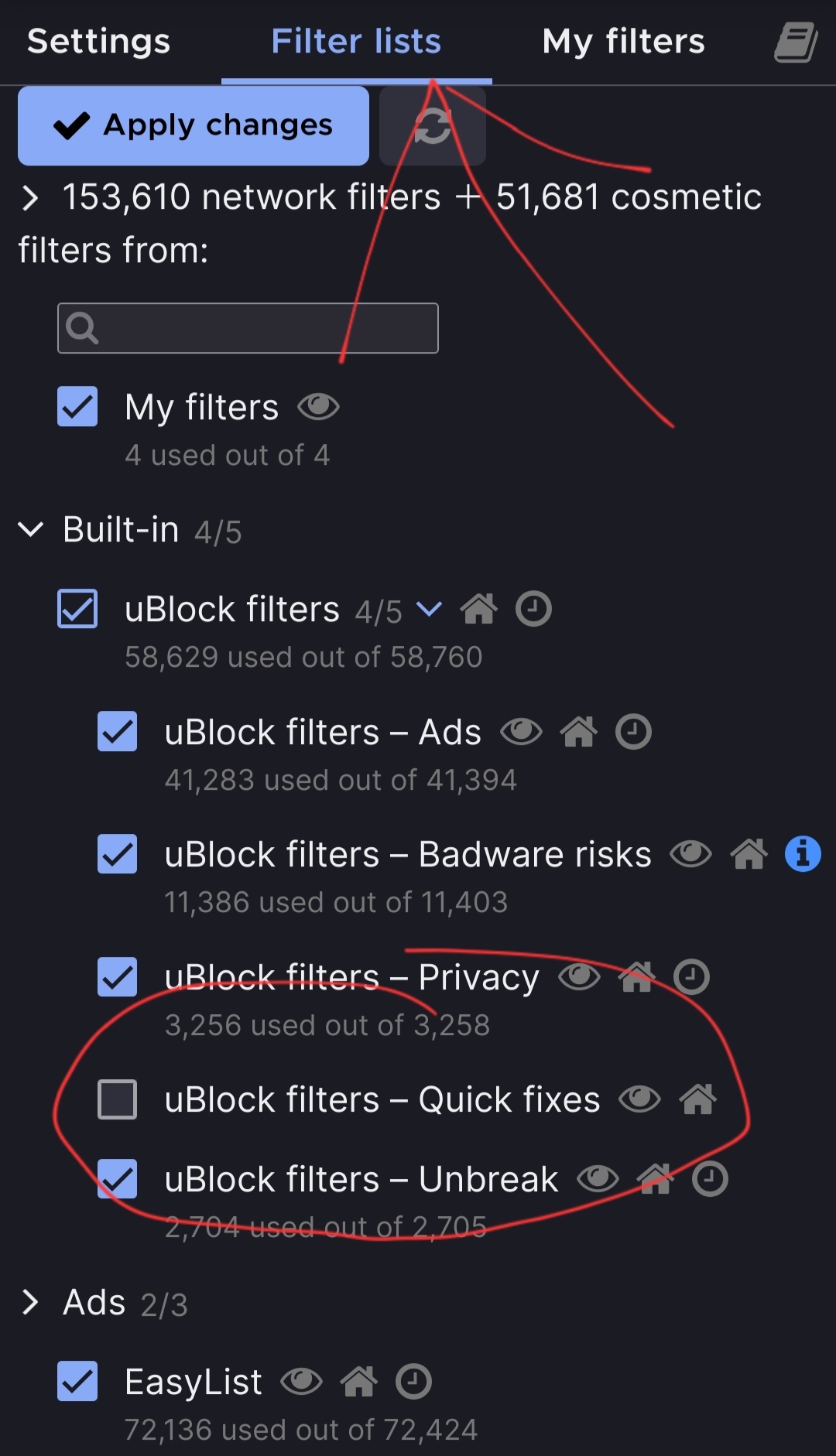
Open uBlock settings in Firefox, go to "Filter Lists" and uncheck "uBlock Filters - Quick fixes" under "Built-in".
Then click "Apply changes" and restart Firefox. Hope this helps.