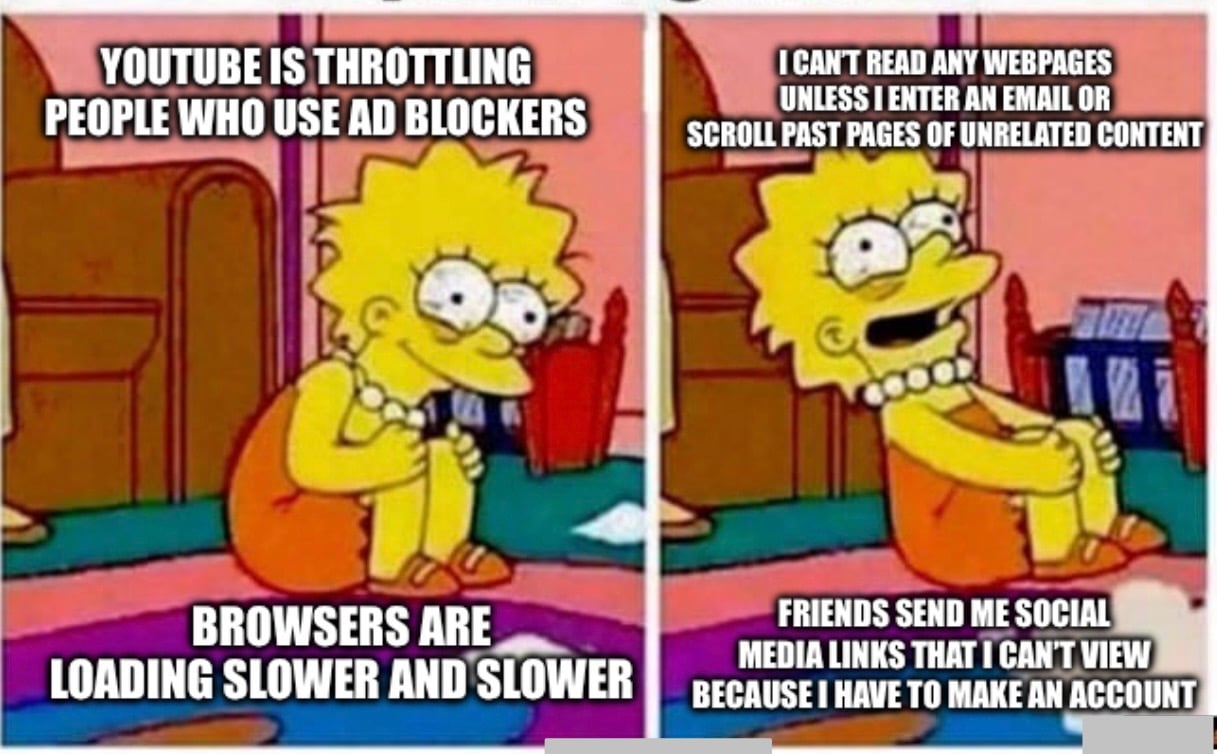
▲ 2737 ▼ I'm really getting over the enshitification of the internet. (lemmy.world) submitted 2 years ago by Custoslibera@lemmy.world to c/memes@lemmy.ml 296 comments fedilink hide all child comments
[–] tpihkal@lemmy.world 7 points 2 years ago (13 children) I got a popup "Adblockers are not allowed on YouTube" on Firefox running both Ublock Origin and Adblock, not signed in two days ago. I don't know what to do with that information. permalink fedilink source parent hideshow 13 child comments replies: [–] OsrsNeedsF2P@lemmy.ml 11 points 2 years ago (3 children) In the UBlock plugin settings, click update cache. On mobile so CBA to give better instructions, but it will fix it permalink fedilink source parent hideshow 3 child comments replies: [–] grue@lemmy.world 6 points 2 years ago I had a moment of mild panic two days ago when purging and updating the cache didn't work. It turns out I got caught by it in the short interval after Youtube deployed the new attack but before the blocklist maintainers deployed a countermeasure, and it worked when I tried again an hour or so later. (Using Freetube instead of a browser worked in the meantime, BTW.) permalink fedilink source parent [–] kzhe@lemmy.zip 4 points 2 years ago Bad idea, won't help. Above commenter says they have adblock enabled alongside uBO- that needs to be fixed first. Adblock is tripping YouTube, not uBO permalink fedilink source parent [–] tpihkal@lemmy.world 1 point 2 years ago thx permalink fedilink source parent [–] LinkOpensChest_wav@lemmy.dbzer0.com 8 points 2 years ago (6 children) I thought you weren't supposed to use uBO with Adblock? permalink fedilink source parent hideshow 6 child comments replies: [–] tpihkal@lemmy.world 1 point 2 years ago (5 children) This may be true but I have not seen it before. Do you have a source? permalink fedilink source parent hideshow 5 child comments replies: [–] grue@lemmy.world 9 points 2 years ago (2 children) I don't have a source either, but I can confirm having heard the same advice. In general, even if uBO has been updated to avoid Youtube's adblocker-detection, if you're running multiple adblockers it's possible the popup is triggering because it detects the other one. More to the point, (a) you shouldn't need another adblock alongside uBlock Origin anyway, and (b) pretty much every ad-blocker other than uBO has sold out and been compromised, including Adblock, so using it is a bad idea to begin with. permalink fedilink source parent hideshow 2 child comments replies: [–] LinkOpensChest_wav@lemmy.dbzer0.com 7 points 2 years ago It was something he posted on Twitter: https://nitter.net/gorhill/status/1033706103782170625 I was checking github, which is why I couldn't find it. permalink fedilink source parent [–] tpihkal@lemmy.world 3 points 2 years ago Thank you, I appreciate this. permalink fedilink source parent [–] LinkOpensChest_wav@lemmy.dbzer0.com 6 points 2 years ago https://nitter.net/gorhill/status/1033706103782170625 permalink fedilink source parent [–] LinkOpensChest_wav@lemmy.dbzer0.com 5 points 2 years ago I may have hallucinated this, but I could have sworn that gorhill said something to this effect, but now I can't find it. I'll keep looking. I genuinely could be wrong. permalink fedilink source parent [–] Perfide@reddthat.com 5 points 2 years ago Never combine adblockers. ONLY use Ublock Origin. permalink fedilink source parent [–] kzhe@lemmy.zip 2 points 2 years ago* both Ublock Origin and Adblock That's the problem. permalink fedilink source parent
[–] OsrsNeedsF2P@lemmy.ml 11 points 2 years ago (3 children) In the UBlock plugin settings, click update cache. On mobile so CBA to give better instructions, but it will fix it permalink fedilink source parent hideshow 3 child comments replies: [–] grue@lemmy.world 6 points 2 years ago I had a moment of mild panic two days ago when purging and updating the cache didn't work. It turns out I got caught by it in the short interval after Youtube deployed the new attack but before the blocklist maintainers deployed a countermeasure, and it worked when I tried again an hour or so later. (Using Freetube instead of a browser worked in the meantime, BTW.) permalink fedilink source parent [–] kzhe@lemmy.zip 4 points 2 years ago Bad idea, won't help. Above commenter says they have adblock enabled alongside uBO- that needs to be fixed first. Adblock is tripping YouTube, not uBO permalink fedilink source parent [–] tpihkal@lemmy.world 1 point 2 years ago thx permalink fedilink source parent
[–] grue@lemmy.world 6 points 2 years ago I had a moment of mild panic two days ago when purging and updating the cache didn't work. It turns out I got caught by it in the short interval after Youtube deployed the new attack but before the blocklist maintainers deployed a countermeasure, and it worked when I tried again an hour or so later. (Using Freetube instead of a browser worked in the meantime, BTW.) permalink fedilink source parent
[–] kzhe@lemmy.zip 4 points 2 years ago Bad idea, won't help. Above commenter says they have adblock enabled alongside uBO- that needs to be fixed first. Adblock is tripping YouTube, not uBO permalink fedilink source parent
[–] LinkOpensChest_wav@lemmy.dbzer0.com 8 points 2 years ago (6 children) I thought you weren't supposed to use uBO with Adblock? permalink fedilink source parent hideshow 6 child comments replies: [–] tpihkal@lemmy.world 1 point 2 years ago (5 children) This may be true but I have not seen it before. Do you have a source? permalink fedilink source parent hideshow 5 child comments replies: [–] grue@lemmy.world 9 points 2 years ago (2 children) I don't have a source either, but I can confirm having heard the same advice. In general, even if uBO has been updated to avoid Youtube's adblocker-detection, if you're running multiple adblockers it's possible the popup is triggering because it detects the other one. More to the point, (a) you shouldn't need another adblock alongside uBlock Origin anyway, and (b) pretty much every ad-blocker other than uBO has sold out and been compromised, including Adblock, so using it is a bad idea to begin with. permalink fedilink source parent hideshow 2 child comments replies: [–] LinkOpensChest_wav@lemmy.dbzer0.com 7 points 2 years ago It was something he posted on Twitter: https://nitter.net/gorhill/status/1033706103782170625 I was checking github, which is why I couldn't find it. permalink fedilink source parent [–] tpihkal@lemmy.world 3 points 2 years ago Thank you, I appreciate this. permalink fedilink source parent [–] LinkOpensChest_wav@lemmy.dbzer0.com 6 points 2 years ago https://nitter.net/gorhill/status/1033706103782170625 permalink fedilink source parent [–] LinkOpensChest_wav@lemmy.dbzer0.com 5 points 2 years ago I may have hallucinated this, but I could have sworn that gorhill said something to this effect, but now I can't find it. I'll keep looking. I genuinely could be wrong. permalink fedilink source parent
[–] tpihkal@lemmy.world 1 point 2 years ago (5 children) This may be true but I have not seen it before. Do you have a source? permalink fedilink source parent hideshow 5 child comments replies: [–] grue@lemmy.world 9 points 2 years ago (2 children) I don't have a source either, but I can confirm having heard the same advice. In general, even if uBO has been updated to avoid Youtube's adblocker-detection, if you're running multiple adblockers it's possible the popup is triggering because it detects the other one. More to the point, (a) you shouldn't need another adblock alongside uBlock Origin anyway, and (b) pretty much every ad-blocker other than uBO has sold out and been compromised, including Adblock, so using it is a bad idea to begin with. permalink fedilink source parent hideshow 2 child comments replies: [–] LinkOpensChest_wav@lemmy.dbzer0.com 7 points 2 years ago It was something he posted on Twitter: https://nitter.net/gorhill/status/1033706103782170625 I was checking github, which is why I couldn't find it. permalink fedilink source parent [–] tpihkal@lemmy.world 3 points 2 years ago Thank you, I appreciate this. permalink fedilink source parent [–] LinkOpensChest_wav@lemmy.dbzer0.com 6 points 2 years ago https://nitter.net/gorhill/status/1033706103782170625 permalink fedilink source parent [–] LinkOpensChest_wav@lemmy.dbzer0.com 5 points 2 years ago I may have hallucinated this, but I could have sworn that gorhill said something to this effect, but now I can't find it. I'll keep looking. I genuinely could be wrong. permalink fedilink source parent
[–] grue@lemmy.world 9 points 2 years ago (2 children) I don't have a source either, but I can confirm having heard the same advice. In general, even if uBO has been updated to avoid Youtube's adblocker-detection, if you're running multiple adblockers it's possible the popup is triggering because it detects the other one. More to the point, (a) you shouldn't need another adblock alongside uBlock Origin anyway, and (b) pretty much every ad-blocker other than uBO has sold out and been compromised, including Adblock, so using it is a bad idea to begin with. permalink fedilink source parent hideshow 2 child comments replies: [–] LinkOpensChest_wav@lemmy.dbzer0.com 7 points 2 years ago It was something he posted on Twitter: https://nitter.net/gorhill/status/1033706103782170625 I was checking github, which is why I couldn't find it. permalink fedilink source parent [–] tpihkal@lemmy.world 3 points 2 years ago Thank you, I appreciate this. permalink fedilink source parent
[–] LinkOpensChest_wav@lemmy.dbzer0.com 7 points 2 years ago It was something he posted on Twitter: https://nitter.net/gorhill/status/1033706103782170625 I was checking github, which is why I couldn't find it. permalink fedilink source parent
[–] tpihkal@lemmy.world 3 points 2 years ago Thank you, I appreciate this. permalink fedilink source parent
[–] LinkOpensChest_wav@lemmy.dbzer0.com 6 points 2 years ago https://nitter.net/gorhill/status/1033706103782170625 permalink fedilink source parent
[–] LinkOpensChest_wav@lemmy.dbzer0.com 5 points 2 years ago I may have hallucinated this, but I could have sworn that gorhill said something to this effect, but now I can't find it. I'll keep looking. I genuinely could be wrong. permalink fedilink source parent
[–] Perfide@reddthat.com 5 points 2 years ago Never combine adblockers. ONLY use Ublock Origin. permalink fedilink source parent
[–] kzhe@lemmy.zip 2 points 2 years ago* both Ublock Origin and Adblock That's the problem. permalink fedilink source parent