you are viewing a single comment's thread
view the rest of the comments
[–] 32 points 2 years ago (10 children)

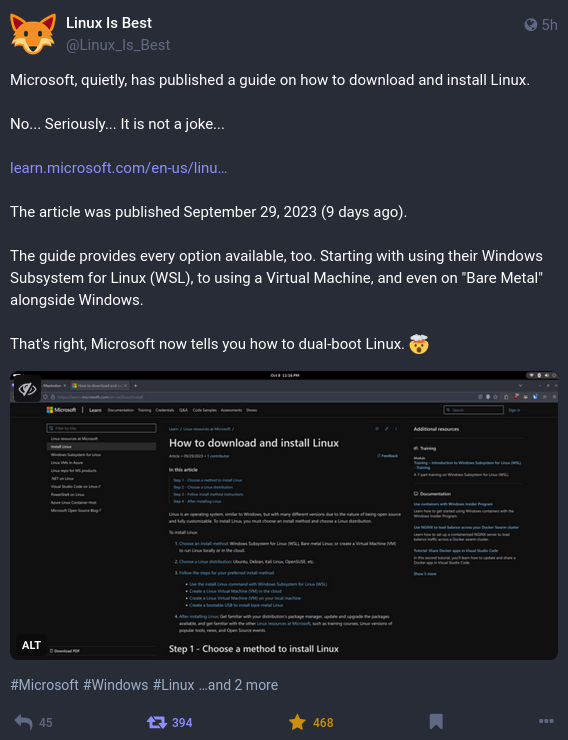
I mean, why not do that, from their perspective. Linux has been around for a long time and Windows still maintains market share. They don't feel threatened at this point, so might as well have the explanation of how to install Linux be a subtle ad for Windows.

  • source
  • hideshow 10 child comments
  • [–] 6 points 2 years ago (9 children)

    honestly it's a great ad for windows. i've been running debian exclusively for years, and even when i got my new laptop last year, i found dualbooting to be too difficult to set up, so i ended up getting an OEM restore stick from lenovo, then just nuking everything and installing ubuntu (back on debian now). if their guide is useful, i will instal windows and finally be able to play MTG Arena again (and a thousand other games)

  • source
  • parent
  • hideshow 9 child comments
  • [–] 14 points 2 years ago (8 children)

    Magic: The Gathering Arena? That has a platinum rating on proton DB so should work just fine on any modern Linux distro, like thousands of other games. No need for a dual boot unless you have one of a few problematic games.

  • source
  • parent
  • hideshow 8 child comments
  • [–] 1 point 2 years ago (7 children)

    is there a tutorial for getting it running?

  • source
  • parent
  • hideshow 7 child comments
  • [–] 10 points 2 years ago (6 children)

    Dude, go to steam and click install! 😂

  • source
  • parent
  • hideshow 6 child comments
  • [–] 1 point 2 years ago (5 children)

    really? i haven't installed steam in years. for a short while i was dualbooting steamos and debian. now you're saying "install steam, and let steam install mtga"?

  • source
  • parent
  • hideshow 5 child comments
  • [–] 1 point 2 years ago (2 children)

    Yes, I was shocked as well, since I always fucked around with wine and different launchers to get MTGA running and then they just released it on steam and it works like a charm (for mtga at least).

  • source
  • parent
  • hideshow 2 child comments
  • [–] 2 points 2 years ago (1 child)

    it flat-out refused to run on my debian system last night. whined about being for some other system or something. :(

  • source
  • parent
  • hideshow 1 child comment
  • [–] 1 point 2 years ago

    Okay, I remember. It's not as easy as clicking "install". I had to add the game to my library and then click on the game in the library and there the gear icon. Then "Properties..."->"Compatibility"-> and then check "Force use of a specific Steam Play compatibility tool" and then use "Proton Experimental", its the default and for me always worked.

  • source
  • parent