I guess it depends on your goals. I install Intellij, or WebStorm, or PyCharm, or RubyMine, and I get a working environment right out of the box. I don't have to figure out what functionality is missing, then go search for the most maintained and up to date plugin, hoping that it has all the features I need. It just works. I use VS Code a lot, every day, but it's sorely lacking, even with all of the plugins it has, in basic stuff like refactoring an entire codebase, or just regular old code cleanup. I'll give a few examples, they might have equivalents in the vs code ecosystem, but I have not been able to find them.
- Inspect Code
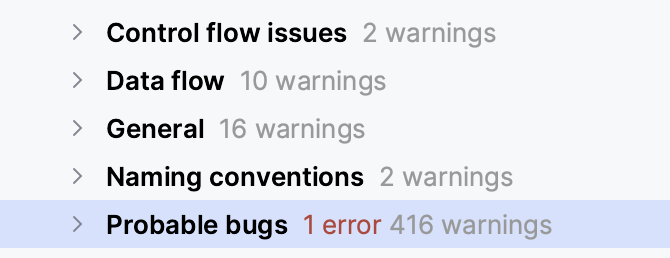
In JB products I can choose Code > Inspect Code, from the menu bar, and have it show everything wrong with the project, including code that is never hit, code that is duplicated, Control Flow issues, Data Flow issues, typos, probable bugs, Security issues (including in your dependencies), migration aids, the list goes on and on and on. And it doesn't just do it for one language in your repo, it does it for every file type. So you don't have to install a plugin that finds security issues in your poms, and then one that finds them in package.json, and then another for your gemfile, etc.
- Structural Search and Replace
This one is quite hard to describe, so I'll let the intellij docs explain it for me. https://www.jetbrains.com/help/idea/structural-search-and-replace.html
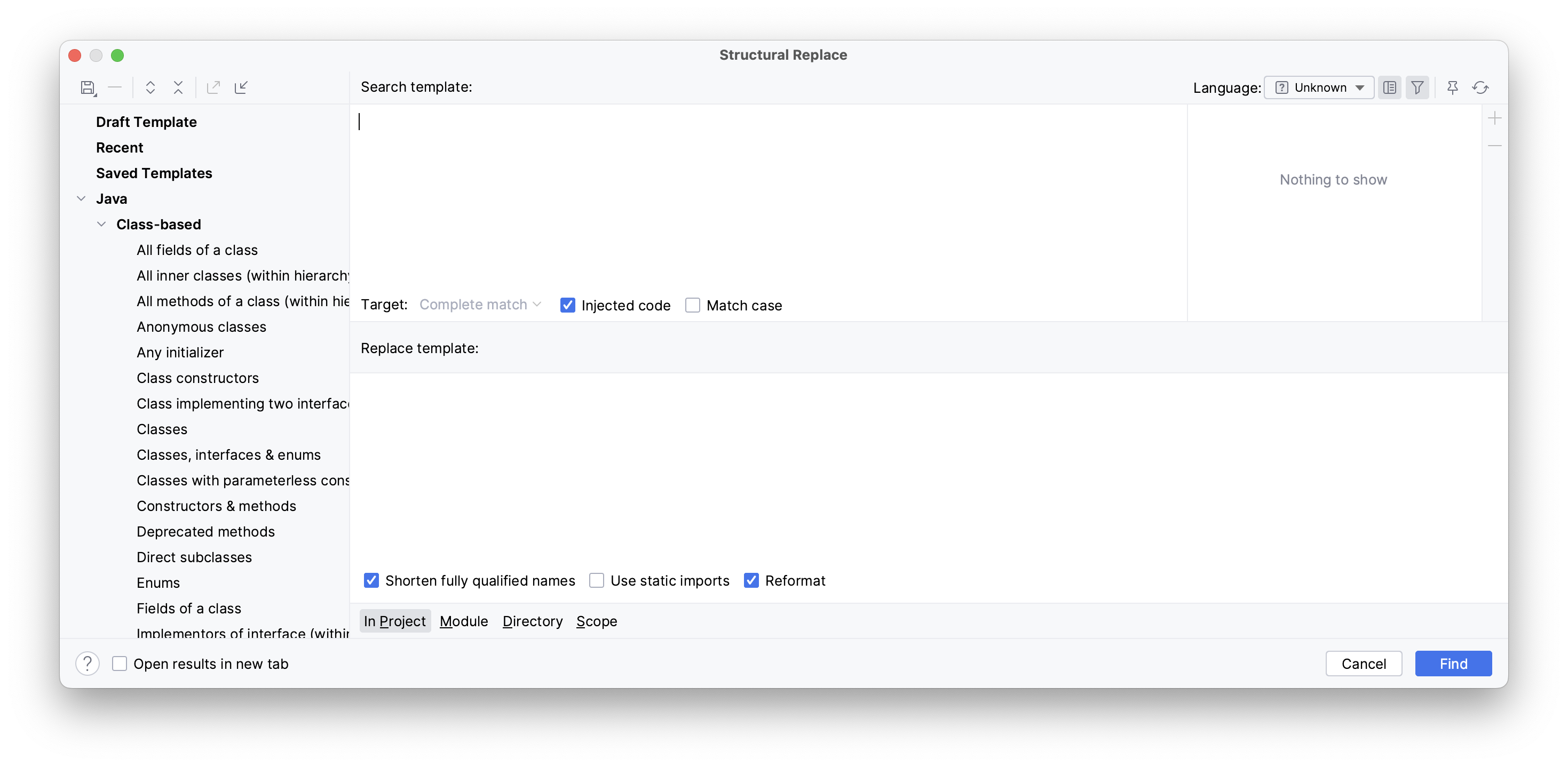
A conventional search process does not take into account the syntax and semantics of the source code. Even if you use regular expressions, IntelliJ IDEA still treats your code as a regular text. The structural search and replace (SSR) actions let you search for a particular code pattern or grammatical construct in your code considering your code structure.
IntelliJ IDEA finds and replaces fragments of source code, based on the search templates that you create and conditions you apply.
There are a ton of things that I can't find equivalents for in VS Code, but these are two major ones.