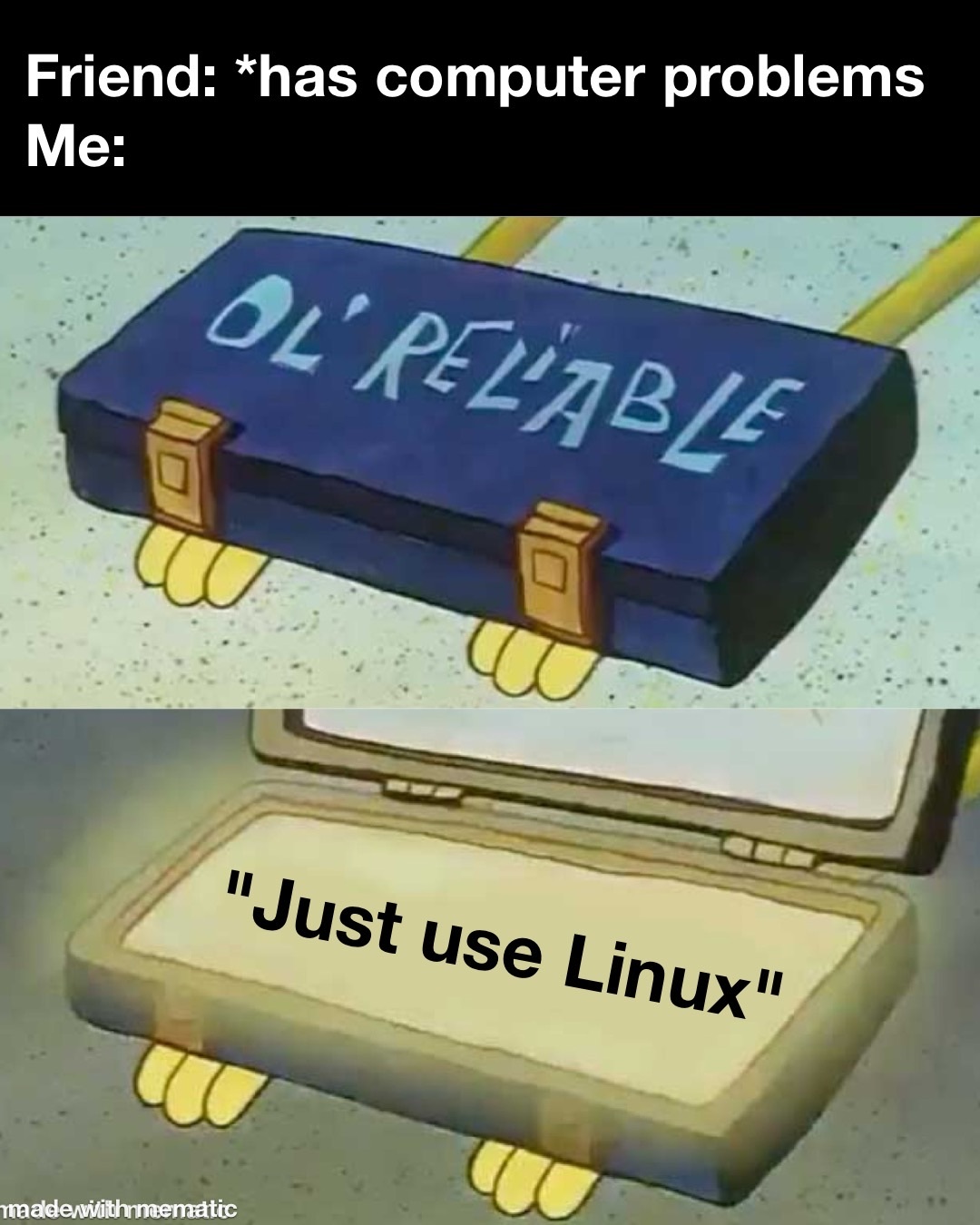
β² 999 βΌ Your PC will thank you... (sopuli.xyz) submitted 2 years ago by hellfire103@sopuli.xyz to c/linuxmemes@lemmy.world 169 comments fedilink hide all child comments
[β] rbos@lemmy.ca 99 points 2 years ago (3 children) "I'm having trouble with this game on Linux" "Just install Windows, nerd. Stupid zealots." Goes the other way too. :p permalink fedilink source hideshow 6 child comments replies: [β] art@lemmy.world 39 points 2 years ago (1 child) My friend told me "it's time to go back to Windows" just because a VST I was using was crashing. That's literally insane. permalink fedilink source parent hideshow 2 child comments replies: [β] user224@lemmy.sdf.org 17 points 2 years ago What they don't know is that stuff like this is often due to my bad practices, and not something to do with Linux. permalink fedilink source parent [β] greenmarty@lemmy.world 20 points 2 years ago* (2 children) Or get Proton and Let Valve do the rest. permalink fedilink source parent hideshow 4 child comments replies: [β] GoodEye8@lemm.ee 26 points 2 years ago (1 child) Proton or Valve won't magically make anti-cheat working on Linux. I do most of my gaming now on Linux, but for specific games I still boot into Windows. permalink fedilink source parent hideshow 2 child comments replies: [β] TheInsane42@lemmy.world 3 points 2 years ago I use a tablet for gaming, Linux for almost everything and a windows vm for de-DRM'ing books I boiught so I can read them the way I want. Windows vm is just for when I have no other option. permalink fedilink source parent [β] BleatingZombie@lemmy.world 9 points 2 years ago (6 children) Serious question. I'm planning on switching from windows to some distro, but it will be the first time I'm daily driving Linux. Are there any solid beginner-friendly resources for getting started? I'm familiar with simple bash commands, but that's about it permalink fedilink source parent hideshow 12 child comments replies: [+] Darorad@lemmy.world 19 points 2 years ago* (last edited 1 year ago) [deleted] permalink fedilink source parent [β] bonnetbee@lemmy.world 17 points 2 years ago (2 children) For me worked: Install Debian be confused by all the options in the installation process, look up every unknown word, try to do everything manualy, fail start installation process again, choose all the defaults, works! trying to install a programm with terminal, fail because not in sudo list, look up how to get into sudo list update in terminal doesn't work, have to remove some lines in /etc/apt/sources.list - look up how to use the text editor nano, look many yt-videos about Linux filesystem (what to those folders mean? Everything is a file?) try to resize a partition (can't remember which), can't, because I didn't choose LVM in installation process - install Debian again, and do all the steps above again I think I had to reinstall Debian 5 more times after that, just because I didn't know what I was doing and it was an easy reset for me. Very frustraiting at times, and a very rewarding feeling when something worked. Made me love tech again, 10/10 would do again. permalink fedilink source parent hideshow 4 child comments replies: [β] rbos@lemmy.ca 8 points 2 years ago Really threw yourself into the deep end there, nice. Hashtags team debian. permalink fedilink source parent [β] jadedwench@lemmy.world 4 points 2 years ago Also, get the updated kernel out of the backports repo as the main repo is pretty far behind in my opinion. I needed 6.5+ to get the hardware compatibility for some stuff and then I more or less had an out of box experience. I also highly recommend having your /home on a separate partition or drive. This way you can keep your user files if you ever want to change or reinstall the OS. Don't feel bad about messing up the install. Everyone fucks it up a few times. The best one I did was forget to make the user account AND did not set a root password. Thou shall not install things at 2am... permalink fedilink source parent [β] pizzawithdirt@lemmy.world 10 points 2 years ago Try installing something like Linux Mint that is Ubuntu or Debian based which has a lot of beginner documentation. You don't really need much resources after that, you will probably learn while using it and searching for how to do things. Also if you play games, check if the games you play work in Linux via ProtonDB. permalink fedilink source parent [β] DragonOracleIX@lemmy.ml 3 points 2 years ago I've heard a lot of talk in the linux community about linux mint being a good beginner distro. permalink fedilink source parent [β] GoodEye8@lemm.ee 2 points 2 years ago As someone who recently did a switch to get used to Linux, if you're planning on gaming then Nobara is supposedly the beginner friendly gaming distro. I switched to Nobara and my only issue was screen flickering that I fixed by switching from Wayland to X11 (that was as simple a choosing the other option on the login screen). Everything else just works and KDE looks similar to the windows layout so it doesn't feel too unintuitive either. My two gripes that I can't do anything about are the lack of HDR support (supposedly that's finally in the works) and no Linux support for some online games (The Finals in my case, but maybe if Linux numbers go up they'll finally flip the switch), neither could be solved by having a different distro. If you just want to game and want it up and running without tinkering too much I recommend Nobara. permalink fedilink source parent [β] Possible_EmuWrangler@lemmy.world 1 point 2 years ago Raspberry pi os was built for education, it's a fork of debain and can run on computers that aren't raspberry pis. They also have a digital bookshelf with many ebooks that can also be downloaded without the OS as they've been released as creative commons. permalink fedilink source parent [β] SaltyIceteaMaker@iusearchlinux.fyi 9 points 2 years ago* (last edited 2 years ago) (1 child) No thanks i'll keep complaining that the game does in fact run on linux but the anti cheat has linux support disabled Ahem rainbow 6 siege permalink fedilink source parent hideshow 2 child comments replies: [β] Hominine@lemmy.world 1 point 2 years ago (1 child) ...I don't remember typing this. permalink fedilink source parent hideshow 2 child comments replies: [β] SaltyIceteaMaker@iusearchlinux.fyi 2 points 2 years ago Well you didn't permalink fedilink source parent
[β] art@lemmy.world 39 points 2 years ago (1 child) My friend told me "it's time to go back to Windows" just because a VST I was using was crashing. That's literally insane. permalink fedilink source parent hideshow 2 child comments replies: [β] user224@lemmy.sdf.org 17 points 2 years ago What they don't know is that stuff like this is often due to my bad practices, and not something to do with Linux. permalink fedilink source parent
[β] user224@lemmy.sdf.org 17 points 2 years ago What they don't know is that stuff like this is often due to my bad practices, and not something to do with Linux. permalink fedilink source parent
[β] greenmarty@lemmy.world 20 points 2 years ago* (2 children) Or get Proton and Let Valve do the rest. permalink fedilink source parent hideshow 4 child comments replies: [β] GoodEye8@lemm.ee 26 points 2 years ago (1 child) Proton or Valve won't magically make anti-cheat working on Linux. I do most of my gaming now on Linux, but for specific games I still boot into Windows. permalink fedilink source parent hideshow 2 child comments replies: [β] TheInsane42@lemmy.world 3 points 2 years ago I use a tablet for gaming, Linux for almost everything and a windows vm for de-DRM'ing books I boiught so I can read them the way I want. Windows vm is just for when I have no other option. permalink fedilink source parent [β] BleatingZombie@lemmy.world 9 points 2 years ago (6 children) Serious question. I'm planning on switching from windows to some distro, but it will be the first time I'm daily driving Linux. Are there any solid beginner-friendly resources for getting started? I'm familiar with simple bash commands, but that's about it permalink fedilink source parent hideshow 12 child comments replies: [+] Darorad@lemmy.world 19 points 2 years ago* (last edited 1 year ago) [deleted] permalink fedilink source parent [β] bonnetbee@lemmy.world 17 points 2 years ago (2 children) For me worked: Install Debian be confused by all the options in the installation process, look up every unknown word, try to do everything manualy, fail start installation process again, choose all the defaults, works! trying to install a programm with terminal, fail because not in sudo list, look up how to get into sudo list update in terminal doesn't work, have to remove some lines in /etc/apt/sources.list - look up how to use the text editor nano, look many yt-videos about Linux filesystem (what to those folders mean? Everything is a file?) try to resize a partition (can't remember which), can't, because I didn't choose LVM in installation process - install Debian again, and do all the steps above again I think I had to reinstall Debian 5 more times after that, just because I didn't know what I was doing and it was an easy reset for me. Very frustraiting at times, and a very rewarding feeling when something worked. Made me love tech again, 10/10 would do again. permalink fedilink source parent hideshow 4 child comments replies: [β] rbos@lemmy.ca 8 points 2 years ago Really threw yourself into the deep end there, nice. Hashtags team debian. permalink fedilink source parent [β] jadedwench@lemmy.world 4 points 2 years ago Also, get the updated kernel out of the backports repo as the main repo is pretty far behind in my opinion. I needed 6.5+ to get the hardware compatibility for some stuff and then I more or less had an out of box experience. I also highly recommend having your /home on a separate partition or drive. This way you can keep your user files if you ever want to change or reinstall the OS. Don't feel bad about messing up the install. Everyone fucks it up a few times. The best one I did was forget to make the user account AND did not set a root password. Thou shall not install things at 2am... permalink fedilink source parent [β] pizzawithdirt@lemmy.world 10 points 2 years ago Try installing something like Linux Mint that is Ubuntu or Debian based which has a lot of beginner documentation. You don't really need much resources after that, you will probably learn while using it and searching for how to do things. Also if you play games, check if the games you play work in Linux via ProtonDB. permalink fedilink source parent [β] DragonOracleIX@lemmy.ml 3 points 2 years ago I've heard a lot of talk in the linux community about linux mint being a good beginner distro. permalink fedilink source parent [β] GoodEye8@lemm.ee 2 points 2 years ago As someone who recently did a switch to get used to Linux, if you're planning on gaming then Nobara is supposedly the beginner friendly gaming distro. I switched to Nobara and my only issue was screen flickering that I fixed by switching from Wayland to X11 (that was as simple a choosing the other option on the login screen). Everything else just works and KDE looks similar to the windows layout so it doesn't feel too unintuitive either. My two gripes that I can't do anything about are the lack of HDR support (supposedly that's finally in the works) and no Linux support for some online games (The Finals in my case, but maybe if Linux numbers go up they'll finally flip the switch), neither could be solved by having a different distro. If you just want to game and want it up and running without tinkering too much I recommend Nobara. permalink fedilink source parent [β] Possible_EmuWrangler@lemmy.world 1 point 2 years ago Raspberry pi os was built for education, it's a fork of debain and can run on computers that aren't raspberry pis. They also have a digital bookshelf with many ebooks that can also be downloaded without the OS as they've been released as creative commons. permalink fedilink source parent
[β] GoodEye8@lemm.ee 26 points 2 years ago (1 child) Proton or Valve won't magically make anti-cheat working on Linux. I do most of my gaming now on Linux, but for specific games I still boot into Windows. permalink fedilink source parent hideshow 2 child comments replies: [β] TheInsane42@lemmy.world 3 points 2 years ago I use a tablet for gaming, Linux for almost everything and a windows vm for de-DRM'ing books I boiught so I can read them the way I want. Windows vm is just for when I have no other option. permalink fedilink source parent
[β] TheInsane42@lemmy.world 3 points 2 years ago I use a tablet for gaming, Linux for almost everything and a windows vm for de-DRM'ing books I boiught so I can read them the way I want. Windows vm is just for when I have no other option. permalink fedilink source parent
[β] BleatingZombie@lemmy.world 9 points 2 years ago (6 children) Serious question. I'm planning on switching from windows to some distro, but it will be the first time I'm daily driving Linux. Are there any solid beginner-friendly resources for getting started? I'm familiar with simple bash commands, but that's about it permalink fedilink source parent hideshow 12 child comments replies: [+] Darorad@lemmy.world 19 points 2 years ago* (last edited 1 year ago) [deleted] permalink fedilink source parent [β] bonnetbee@lemmy.world 17 points 2 years ago (2 children) For me worked: Install Debian be confused by all the options in the installation process, look up every unknown word, try to do everything manualy, fail start installation process again, choose all the defaults, works! trying to install a programm with terminal, fail because not in sudo list, look up how to get into sudo list update in terminal doesn't work, have to remove some lines in /etc/apt/sources.list - look up how to use the text editor nano, look many yt-videos about Linux filesystem (what to those folders mean? Everything is a file?) try to resize a partition (can't remember which), can't, because I didn't choose LVM in installation process - install Debian again, and do all the steps above again I think I had to reinstall Debian 5 more times after that, just because I didn't know what I was doing and it was an easy reset for me. Very frustraiting at times, and a very rewarding feeling when something worked. Made me love tech again, 10/10 would do again. permalink fedilink source parent hideshow 4 child comments replies: [β] rbos@lemmy.ca 8 points 2 years ago Really threw yourself into the deep end there, nice. Hashtags team debian. permalink fedilink source parent [β] jadedwench@lemmy.world 4 points 2 years ago Also, get the updated kernel out of the backports repo as the main repo is pretty far behind in my opinion. I needed 6.5+ to get the hardware compatibility for some stuff and then I more or less had an out of box experience. I also highly recommend having your /home on a separate partition or drive. This way you can keep your user files if you ever want to change or reinstall the OS. Don't feel bad about messing up the install. Everyone fucks it up a few times. The best one I did was forget to make the user account AND did not set a root password. Thou shall not install things at 2am... permalink fedilink source parent [β] pizzawithdirt@lemmy.world 10 points 2 years ago Try installing something like Linux Mint that is Ubuntu or Debian based which has a lot of beginner documentation. You don't really need much resources after that, you will probably learn while using it and searching for how to do things. Also if you play games, check if the games you play work in Linux via ProtonDB. permalink fedilink source parent [β] DragonOracleIX@lemmy.ml 3 points 2 years ago I've heard a lot of talk in the linux community about linux mint being a good beginner distro. permalink fedilink source parent [β] GoodEye8@lemm.ee 2 points 2 years ago As someone who recently did a switch to get used to Linux, if you're planning on gaming then Nobara is supposedly the beginner friendly gaming distro. I switched to Nobara and my only issue was screen flickering that I fixed by switching from Wayland to X11 (that was as simple a choosing the other option on the login screen). Everything else just works and KDE looks similar to the windows layout so it doesn't feel too unintuitive either. My two gripes that I can't do anything about are the lack of HDR support (supposedly that's finally in the works) and no Linux support for some online games (The Finals in my case, but maybe if Linux numbers go up they'll finally flip the switch), neither could be solved by having a different distro. If you just want to game and want it up and running without tinkering too much I recommend Nobara. permalink fedilink source parent [β] Possible_EmuWrangler@lemmy.world 1 point 2 years ago Raspberry pi os was built for education, it's a fork of debain and can run on computers that aren't raspberry pis. They also have a digital bookshelf with many ebooks that can also be downloaded without the OS as they've been released as creative commons. permalink fedilink source parent
[+] Darorad@lemmy.world 19 points 2 years ago* (last edited 1 year ago) [deleted] permalink fedilink source parent
[β] bonnetbee@lemmy.world 17 points 2 years ago (2 children) For me worked: Install Debian be confused by all the options in the installation process, look up every unknown word, try to do everything manualy, fail start installation process again, choose all the defaults, works! trying to install a programm with terminal, fail because not in sudo list, look up how to get into sudo list update in terminal doesn't work, have to remove some lines in /etc/apt/sources.list - look up how to use the text editor nano, look many yt-videos about Linux filesystem (what to those folders mean? Everything is a file?) try to resize a partition (can't remember which), can't, because I didn't choose LVM in installation process - install Debian again, and do all the steps above again I think I had to reinstall Debian 5 more times after that, just because I didn't know what I was doing and it was an easy reset for me. Very frustraiting at times, and a very rewarding feeling when something worked. Made me love tech again, 10/10 would do again. permalink fedilink source parent hideshow 4 child comments replies: [β] rbos@lemmy.ca 8 points 2 years ago Really threw yourself into the deep end there, nice. Hashtags team debian. permalink fedilink source parent [β] jadedwench@lemmy.world 4 points 2 years ago Also, get the updated kernel out of the backports repo as the main repo is pretty far behind in my opinion. I needed 6.5+ to get the hardware compatibility for some stuff and then I more or less had an out of box experience. I also highly recommend having your /home on a separate partition or drive. This way you can keep your user files if you ever want to change or reinstall the OS. Don't feel bad about messing up the install. Everyone fucks it up a few times. The best one I did was forget to make the user account AND did not set a root password. Thou shall not install things at 2am... permalink fedilink source parent
[β] rbos@lemmy.ca 8 points 2 years ago Really threw yourself into the deep end there, nice. Hashtags team debian. permalink fedilink source parent
[β] jadedwench@lemmy.world 4 points 2 years ago Also, get the updated kernel out of the backports repo as the main repo is pretty far behind in my opinion. I needed 6.5+ to get the hardware compatibility for some stuff and then I more or less had an out of box experience. I also highly recommend having your /home on a separate partition or drive. This way you can keep your user files if you ever want to change or reinstall the OS. Don't feel bad about messing up the install. Everyone fucks it up a few times. The best one I did was forget to make the user account AND did not set a root password. Thou shall not install things at 2am... permalink fedilink source parent
[β] pizzawithdirt@lemmy.world 10 points 2 years ago Try installing something like Linux Mint that is Ubuntu or Debian based which has a lot of beginner documentation. You don't really need much resources after that, you will probably learn while using it and searching for how to do things. Also if you play games, check if the games you play work in Linux via ProtonDB. permalink fedilink source parent
[β] DragonOracleIX@lemmy.ml 3 points 2 years ago I've heard a lot of talk in the linux community about linux mint being a good beginner distro. permalink fedilink source parent
[β] GoodEye8@lemm.ee 2 points 2 years ago As someone who recently did a switch to get used to Linux, if you're planning on gaming then Nobara is supposedly the beginner friendly gaming distro. I switched to Nobara and my only issue was screen flickering that I fixed by switching from Wayland to X11 (that was as simple a choosing the other option on the login screen). Everything else just works and KDE looks similar to the windows layout so it doesn't feel too unintuitive either. My two gripes that I can't do anything about are the lack of HDR support (supposedly that's finally in the works) and no Linux support for some online games (The Finals in my case, but maybe if Linux numbers go up they'll finally flip the switch), neither could be solved by having a different distro. If you just want to game and want it up and running without tinkering too much I recommend Nobara. permalink fedilink source parent
[β] Possible_EmuWrangler@lemmy.world 1 point 2 years ago Raspberry pi os was built for education, it's a fork of debain and can run on computers that aren't raspberry pis. They also have a digital bookshelf with many ebooks that can also be downloaded without the OS as they've been released as creative commons. permalink fedilink source parent
[β] SaltyIceteaMaker@iusearchlinux.fyi 9 points 2 years ago* (last edited 2 years ago) (1 child) No thanks i'll keep complaining that the game does in fact run on linux but the anti cheat has linux support disabled Ahem rainbow 6 siege permalink fedilink source parent hideshow 2 child comments replies: [β] Hominine@lemmy.world 1 point 2 years ago (1 child) ...I don't remember typing this. permalink fedilink source parent hideshow 2 child comments replies: [β] SaltyIceteaMaker@iusearchlinux.fyi 2 points 2 years ago Well you didn't permalink fedilink source parent
[β] Hominine@lemmy.world 1 point 2 years ago (1 child) ...I don't remember typing this. permalink fedilink source parent hideshow 2 child comments replies: [β] SaltyIceteaMaker@iusearchlinux.fyi 2 points 2 years ago Well you didn't permalink fedilink source parent
[β] SaltyIceteaMaker@iusearchlinux.fyi 2 points 2 years ago Well you didn't permalink fedilink source parent