you are viewing a single comment's thread
view the rest of the comments
[–] 19 points 3 years ago (19 children)

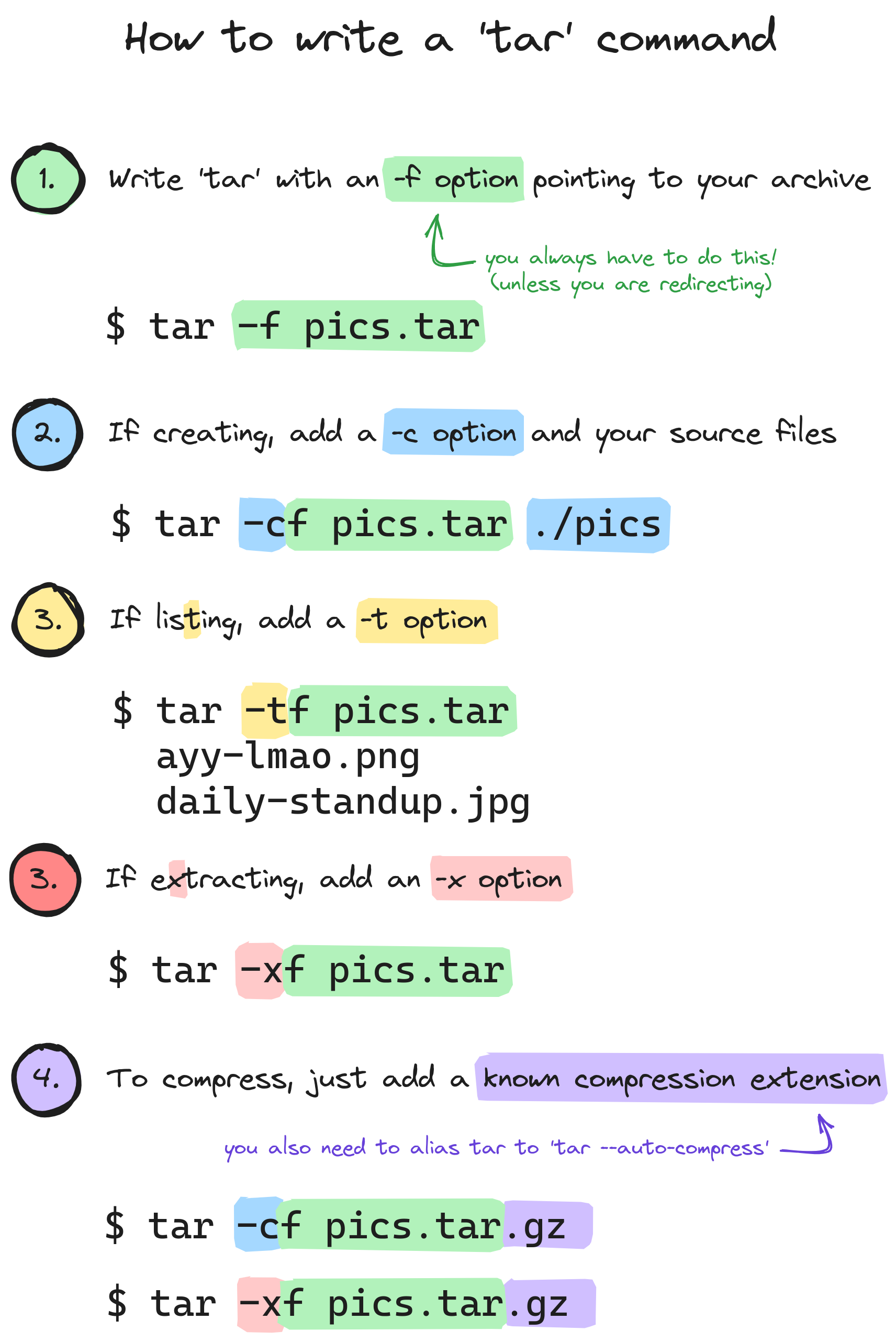
You also don't need the dash for the short options.

Also, if you're compressing with bzip2 and have archives bigger than a few megabytes I'll like you a lot more if you do it with --use-compress-prog=pbzip2

  • source
  • hideshow 19 child comments
  • [–] [S] 30 points 3 years ago* (10 children)

    You also don’t need the dash for the short options.

    True, but I refuse to entertain such a non-standard option format. It's already enough to tolerate find's.

  • source
  • parent
  • hideshow 10 child comments
  • [–] 17 points 3 years ago (9 children)

    Technically the notation with dashes is the non-standard one - the dash form is a GNU addition. A traditional tar on something like Solaris or HP-UX will throw an error if you try the dash notation.

  • source
  • parent
  • hideshow 9 child comments
  • [–] [S] 25 points 3 years ago (7 children)

    It's also traditional to eat raw meat, but we discovered fire at some point.

  • source
  • parent
  • hideshow 7 child comments
  • [–] 8 points 3 years ago (6 children)

    Don't try to take my raw ground pork away from me.

  • source
  • parent
  • hideshow 6 child comments
  • [–] 2 points 3 years ago (5 children)

    I think the -j also compresses with bzip2 but I'm not sure if this is defined behavior or just a shortcut

  • source
  • parent
  • hideshow 5 child comments
  • [–] 3 points 3 years ago (3 children)

    Yes, but I'm asking you to use pbzip. bzip at best utilizes one core, both for packing and unpacking. pbzip uses as many cores as IO bandwith allows - with standard SATA SSDs that's typically around 30.

    pbzip can only utilize multiple cores if the archive was created with it as well.

  • source
  • parent
  • hideshow 3 child comments
  • [–] 2 points 3 years ago (2 children)

    Does something similar happen using xz?

  • source
  • parent
  • hideshow 2 child comments
  • [–] 3 points 3 years ago (1 child)

    I've searched for it and xz also doesn't use multithreading by default, you can change the program tar uses to compress by passing the -I option. For xz using all possible CPU threads:

    tar -cv -I 'xz -6 -T0' -f archive.tar.xz [list of directories]

    The number indicates the compression ratio, the higher the number, the more compressed the archive will be but it will cost more in terms of memory and processing time

  • source
  • parent
  • hideshow 1 child comment