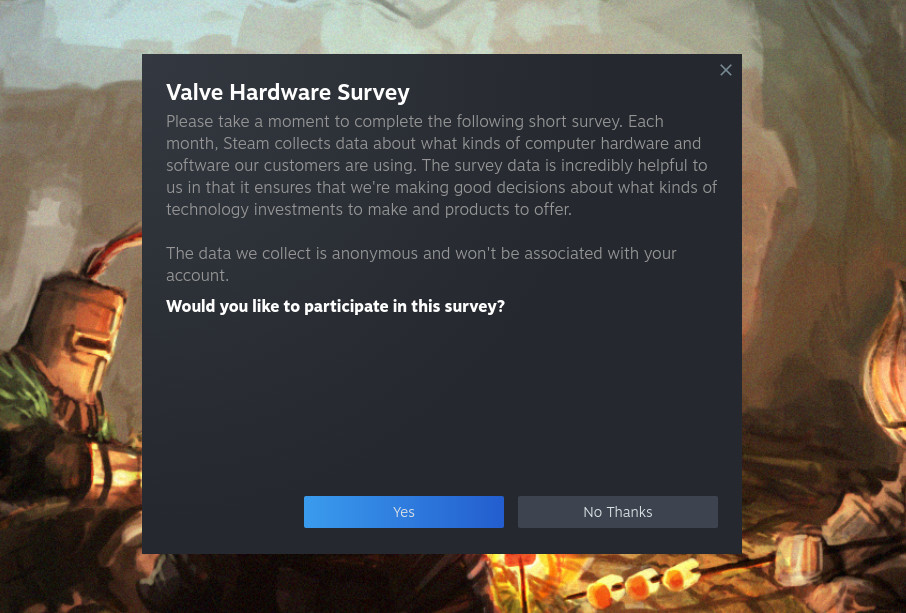
▲ 316 ▼ Doing my part (lemmy.ml) submitted 2 years ago by mudle@lemmy.ml [M] to c/linux_gaming@lemmy.ml 29 comments fedilink hide all child comments
[–] bjoern_tantau@swg-empire.de 5 points 2 years ago (5 children) I'm waiting for the survey to reach me on my Steam Deck running OpenSUSE. I wonder if they keep a special eye on Decks not running SteamOS. permalink fedilink source hideshow 5 child comments replies: [–] sugar_in_your_tea@sh.itjust.works 2 points 2 years ago (4 children) How is it? I use openSUSE on everything (desktop, laptop, NAS, VPS), except my Steam Deck. permalink fedilink source parent hideshow 4 child comments replies: [–] bjoern_tantau@swg-empire.de 3 points 2 years ago (3 children) A little bit janky if I'm being honest, but I still prefer it. Like, I use four different types of on screen keyboard (Steam's for everyday stuff, Onboard when I need special keys, Maliit on the lock screen, unl0kr (which cannot handle the Deck's screen rotation yet) to decrypt the drive on boot). For the installation I had to use the Gnome live image because it was the only one with a usable keyboard. So I guess that makes five different keyboards I used. I had to do a lot of customisation to get it to a state I'm comfortable with. But on the plus side I don't have to fight against the system to do it. My main motivation was to get encryption working. permalink fedilink source parent hideshow 3 child comments replies: [–] sugar_in_your_tea@sh.itjust.works 1 point 2 years ago (2 children) Cool, if you have a writeup about it, I'd love to give it a read. So the challenges you had, solutions you came up with, and ergonomics vs original SteamOS. I don't have any complaints right now, but I like openSUSE and sometimes like to tinker. As long as the controller works well through Steam, I'd probably keep it. permalink fedilink source parent hideshow 2 child comments replies: [–] bjoern_tantau@swg-empire.de 2 points 2 years ago* (1 child) I've recently made two posts about the keyboards and for the encryption there's a bug report about unl0kr in Bazzite where I added a comment. Unfortunately I don't have the energy for a more detailed writeup, but it should be enough to get you started. The controller works out of the box as a mouse. You just need to have an on screen keyboard installed (or a real one attached via USB) to handle everything else. If you like Gnome that should actually work better out of the box than KDE. permalink fedilink source parent hideshow 1 child comment replies: [–] sugar_in_your_tea@sh.itjust.works 1 point 2 years ago I don't mind either, though I have a slight preference for KDE. I may just install both. I'll look through those posts and may just make one myself. :) permalink fedilink source parent
[–] sugar_in_your_tea@sh.itjust.works 2 points 2 years ago (4 children) How is it? I use openSUSE on everything (desktop, laptop, NAS, VPS), except my Steam Deck. permalink fedilink source parent hideshow 4 child comments replies: [–] bjoern_tantau@swg-empire.de 3 points 2 years ago (3 children) A little bit janky if I'm being honest, but I still prefer it. Like, I use four different types of on screen keyboard (Steam's for everyday stuff, Onboard when I need special keys, Maliit on the lock screen, unl0kr (which cannot handle the Deck's screen rotation yet) to decrypt the drive on boot). For the installation I had to use the Gnome live image because it was the only one with a usable keyboard. So I guess that makes five different keyboards I used. I had to do a lot of customisation to get it to a state I'm comfortable with. But on the plus side I don't have to fight against the system to do it. My main motivation was to get encryption working. permalink fedilink source parent hideshow 3 child comments replies: [–] sugar_in_your_tea@sh.itjust.works 1 point 2 years ago (2 children) Cool, if you have a writeup about it, I'd love to give it a read. So the challenges you had, solutions you came up with, and ergonomics vs original SteamOS. I don't have any complaints right now, but I like openSUSE and sometimes like to tinker. As long as the controller works well through Steam, I'd probably keep it. permalink fedilink source parent hideshow 2 child comments replies: [–] bjoern_tantau@swg-empire.de 2 points 2 years ago* (1 child) I've recently made two posts about the keyboards and for the encryption there's a bug report about unl0kr in Bazzite where I added a comment. Unfortunately I don't have the energy for a more detailed writeup, but it should be enough to get you started. The controller works out of the box as a mouse. You just need to have an on screen keyboard installed (or a real one attached via USB) to handle everything else. If you like Gnome that should actually work better out of the box than KDE. permalink fedilink source parent hideshow 1 child comment replies: [–] sugar_in_your_tea@sh.itjust.works 1 point 2 years ago I don't mind either, though I have a slight preference for KDE. I may just install both. I'll look through those posts and may just make one myself. :) permalink fedilink source parent
[–] bjoern_tantau@swg-empire.de 3 points 2 years ago (3 children) A little bit janky if I'm being honest, but I still prefer it. Like, I use four different types of on screen keyboard (Steam's for everyday stuff, Onboard when I need special keys, Maliit on the lock screen, unl0kr (which cannot handle the Deck's screen rotation yet) to decrypt the drive on boot). For the installation I had to use the Gnome live image because it was the only one with a usable keyboard. So I guess that makes five different keyboards I used. I had to do a lot of customisation to get it to a state I'm comfortable with. But on the plus side I don't have to fight against the system to do it. My main motivation was to get encryption working. permalink fedilink source parent hideshow 3 child comments replies: [–] sugar_in_your_tea@sh.itjust.works 1 point 2 years ago (2 children) Cool, if you have a writeup about it, I'd love to give it a read. So the challenges you had, solutions you came up with, and ergonomics vs original SteamOS. I don't have any complaints right now, but I like openSUSE and sometimes like to tinker. As long as the controller works well through Steam, I'd probably keep it. permalink fedilink source parent hideshow 2 child comments replies: [–] bjoern_tantau@swg-empire.de 2 points 2 years ago* (1 child) I've recently made two posts about the keyboards and for the encryption there's a bug report about unl0kr in Bazzite where I added a comment. Unfortunately I don't have the energy for a more detailed writeup, but it should be enough to get you started. The controller works out of the box as a mouse. You just need to have an on screen keyboard installed (or a real one attached via USB) to handle everything else. If you like Gnome that should actually work better out of the box than KDE. permalink fedilink source parent hideshow 1 child comment replies: [–] sugar_in_your_tea@sh.itjust.works 1 point 2 years ago I don't mind either, though I have a slight preference for KDE. I may just install both. I'll look through those posts and may just make one myself. :) permalink fedilink source parent
[–] sugar_in_your_tea@sh.itjust.works 1 point 2 years ago (2 children) Cool, if you have a writeup about it, I'd love to give it a read. So the challenges you had, solutions you came up with, and ergonomics vs original SteamOS. I don't have any complaints right now, but I like openSUSE and sometimes like to tinker. As long as the controller works well through Steam, I'd probably keep it. permalink fedilink source parent hideshow 2 child comments replies: [–] bjoern_tantau@swg-empire.de 2 points 2 years ago* (1 child) I've recently made two posts about the keyboards and for the encryption there's a bug report about unl0kr in Bazzite where I added a comment. Unfortunately I don't have the energy for a more detailed writeup, but it should be enough to get you started. The controller works out of the box as a mouse. You just need to have an on screen keyboard installed (or a real one attached via USB) to handle everything else. If you like Gnome that should actually work better out of the box than KDE. permalink fedilink source parent hideshow 1 child comment replies: [–] sugar_in_your_tea@sh.itjust.works 1 point 2 years ago I don't mind either, though I have a slight preference for KDE. I may just install both. I'll look through those posts and may just make one myself. :) permalink fedilink source parent
[–] bjoern_tantau@swg-empire.de 2 points 2 years ago* (1 child) I've recently made two posts about the keyboards and for the encryption there's a bug report about unl0kr in Bazzite where I added a comment. Unfortunately I don't have the energy for a more detailed writeup, but it should be enough to get you started. The controller works out of the box as a mouse. You just need to have an on screen keyboard installed (or a real one attached via USB) to handle everything else. If you like Gnome that should actually work better out of the box than KDE. permalink fedilink source parent hideshow 1 child comment replies: [–] sugar_in_your_tea@sh.itjust.works 1 point 2 years ago I don't mind either, though I have a slight preference for KDE. I may just install both. I'll look through those posts and may just make one myself. :) permalink fedilink source parent
[–] sugar_in_your_tea@sh.itjust.works 1 point 2 years ago I don't mind either, though I have a slight preference for KDE. I may just install both. I'll look through those posts and may just make one myself. :) permalink fedilink source parent