451


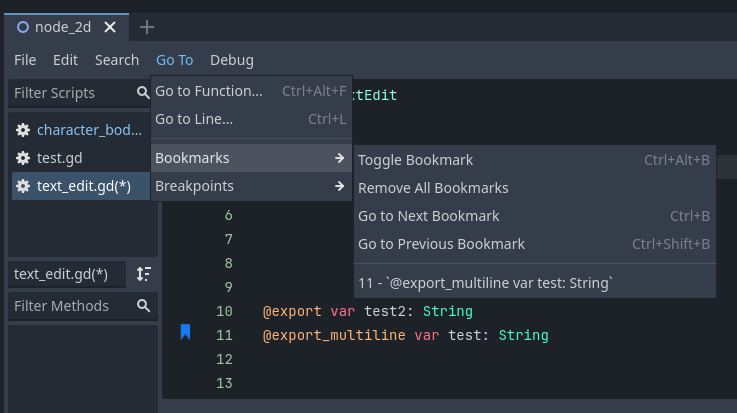
Then you can easily move to bookmarks using the go to button at the top or using ctrl+b and ctrl+shift+b

452


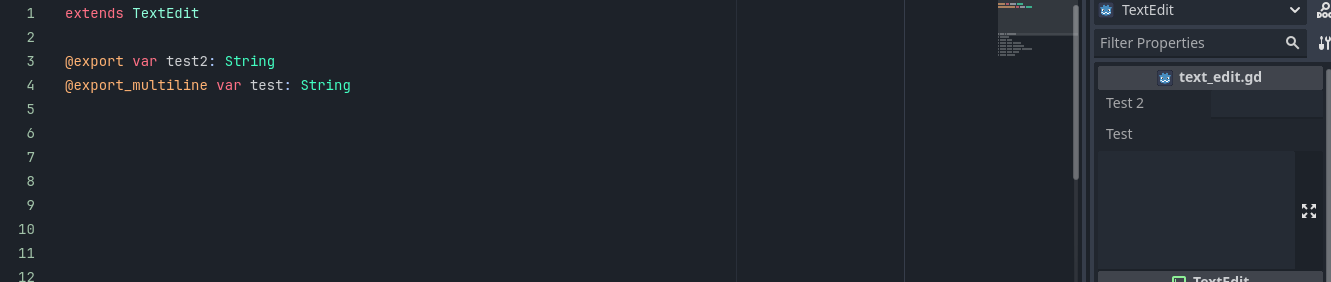
If you also just have a large block of text it lets you see a large amount of the text instead of only a small part at a time

453


Hello everyone! This is the first video I'm recording in 2025, so I hope it turns out well. This time, I’d like to show how we can use a shader to create a digital clock, which we will then control using a script. So, let’s get started.

454


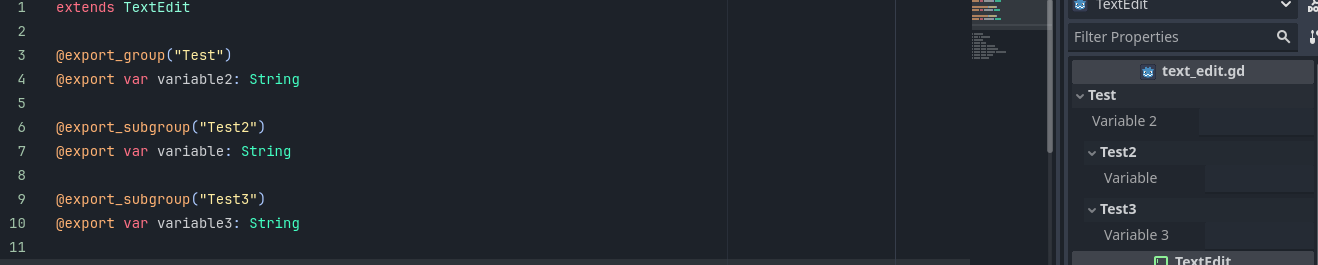
you cant nest export_subgroups within each other but you can use slashes for nesting

455


You will need to close and then reopen the node to see the changes and icon must be put before the class declaration

456
submitted 2 years ago* (last edited 2 years ago) by to c/godot@programming.dev


i wanted to add a cool background to some game i'm making for a friend, so i had a lil fun with glsl and made this.

i uploaded a short screen recording on all the parameters, but apparently catbox doesn't work well with that anymore. So I replaced it with this image.

here is the code, use it however u want <3

shader_type canvas_item;

uniform sampler2D gradient : source_color;

uniform vec2 frequency = vec2(10.0, 10.0);

uniform float amplitude = 1.0;

uniform vec2 offset;

// 0.0 = zigzag; 1.0 = sin wave
uniform float smoothness : hint_range(0.0, 1.0) = 0.0;

float zig_zag(float value){
	float is_even = step(0.5, fract(value * 0.5));
	float rising = fract(value);
	float falling = (rising - 1.0) * -1.0;
	
	float result = mix(rising, falling, is_even);
	return result;
}

float smoothzag(float value, float _smoothness){
	float z = zig_zag(value);
	float s = (cos((value + 1.0) * PI)) * 0.5 + 0.5;
	return mix(z, s, _smoothness);
}

void fragment() {
	float sinus = zig_zag(((UV.y*2.0-1.0) + smoothzag((UV.x*2.0-1.0) * frequency.x - offset.x, smoothness) * amplitude * 0.1) * frequency.y - offset.y);
	COLOR = texture(gradient, vec2(sinus, 0.0));
}

if u have any questions, ask right away!
457
Godot Rusts progress of 2024 (godot-rust.github.io)
458


This shows up when there’s no value and disappears when you start to type

Works for Strings, Arrays of Strings and PackedStringArrays

459
submitted 2 years ago* (last edited 2 years ago) by to c/godot@programming.dev
460


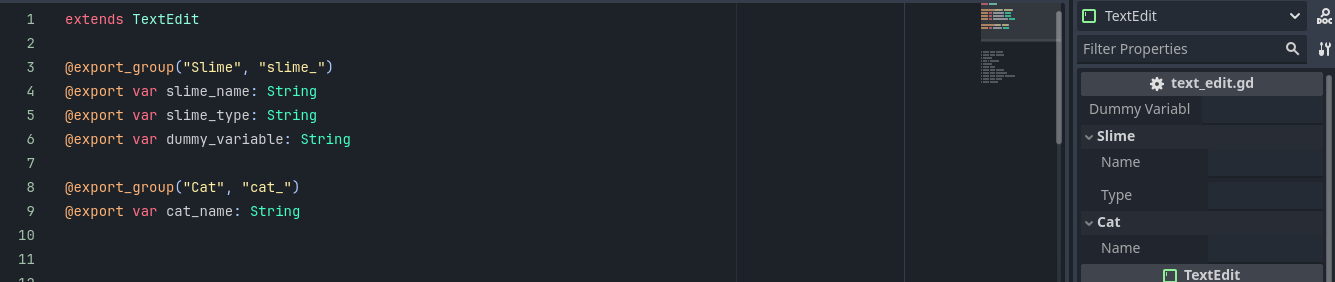
It removes what you set as the prefix from the name for the variable in the inspector

461


You can nest as many subfolders as you want using this

462


From the description: "After years spent in Unity I have finally made the decision to move to Godot starting next year."

463


Hey everybody! And welcome to the last tutorial of this year. Of course, this is definitely not the absolutely final tutorial, as I will continue with a new batch of learning materials in January. So, how are we ending the year 2024? We will be implementing blobby objects, also known as metaballs. Yes, exactly what you see on the screen right now. So, let's get started.

464


@export_group("Text") is used to make a group and you can break out of the group using @export_group("")

465


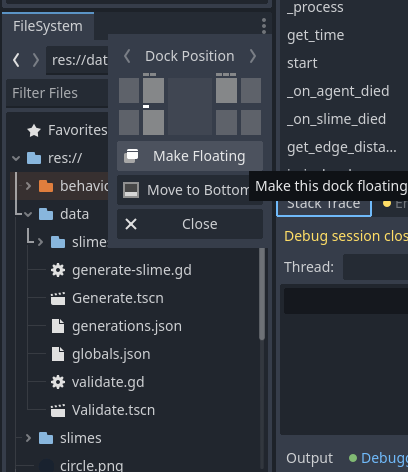
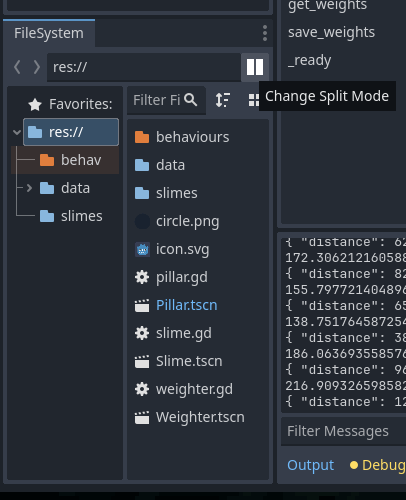
This pops it out into a new window that you can move around separate from the main window (e.g. onto other monitors)

The filesystem dock in godot with the three dots hit and it showing the mouse over the Make Floating button
466


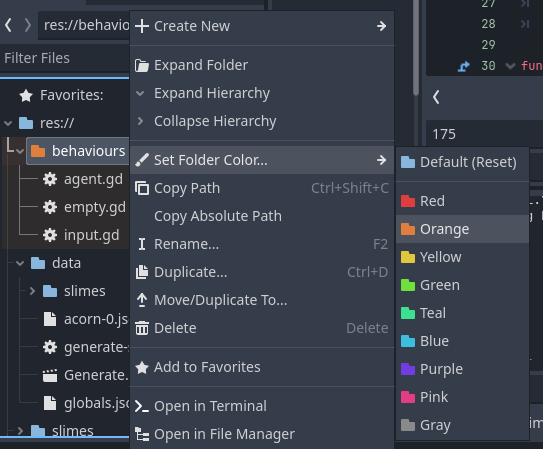
in this case I selected res so its showing everything in res on the right

467


*(unless the subfolder explicitly has another color set)

Useful for finding certain folders quicker

468


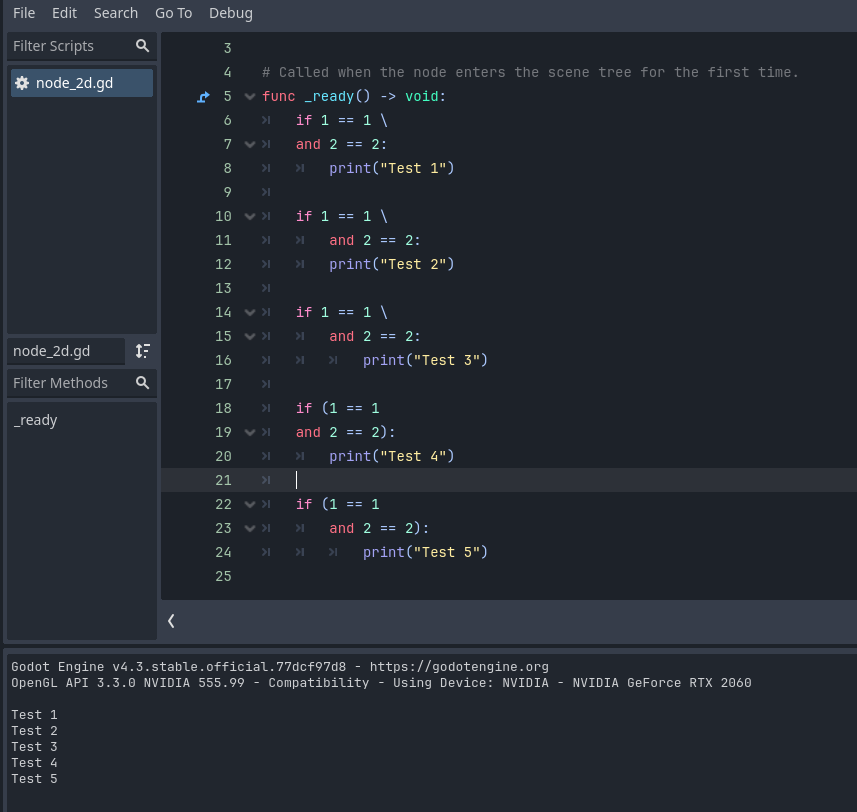
Putting a backslash after a part of the statement basically means ignore any newlines between this and the next characters so you can indent it however you want

469


Hi everyone! Let's add a simple effect simulating a TV signal disturbance to our collection. It actually resembles typical artifacts when playing recordings from a low-quality VHS tape, but it's up to each programmer to find a suitable use for it. And because it's a very simple algorithm with just a few lines of code, this video will be relatively short as well. So let's create it.

470
471


I am experimenting with creating a pixel-art mobile game in Godot. I am having trouble with the viewport size regarding the pixel art assets. I've learned that I should set the scaling mode to integer, which adds black bars to the screen. My plan to get rid of the black bars is as follows:

  1. Find a way to resize the main viewport dynamically in runtime
  2. Calculate, based on the device's size, what size the viewport should be
  3. Apply that calculation when appropriate

Before I even try to get a calculation like that going, I want to make sure I can change the viewport's size in the code, which I couldn't figure out myself. I have tried the following:

  • Changing the project settings in a _ready function: Does nothing
  • Changing the project settings in a _process function: Does nothing
  • Setting get_viewport().size in a _ready function: Does nothing
  • Setting get_viewport().size in a _process function: Changes the size of the viewport, but without expanding it
  • Setting get_window().size in a _ready function: Does nothing

What else can I try?

472


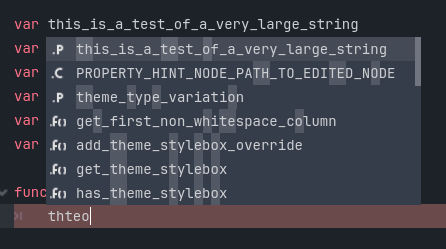
This lets you type parts that are differentiated from the other variables quicker while still having enough to smart pick it

473
Godot 2024 Showreel (farside.link)
submitted 2 years ago by to c/godot@programming.dev
474


Hey everyone! The end of 2024 is slowly approaching, so I thought it would be good to add at least one more post-processing effect before diving into something more complex next year. This time, it’s again about layering, with each layer shifted differently using a noise texture and rotation. With a bit of imagination, the result can resemble a painting where the colors have blurred and blended together slightly. Let’s take a look at how this algorithm works.

475
 
 
view more: ‹ prev next ›